Writing
Agent Skills: Teaching Your AI How to Actually Work
From babysitting commands to fire-and-forget confidence: how Agent Skills transformed my git workflow and why they matter for AI-assisted development.

About nine days ago, I was sitting in the first ever AI-assisted coding clinic at TNG with some colleagues when one of them mentioned they were “really happy with Skills.” We had a discussion about skills but I didn’t fully understand what he was getting at the time.
This feeling of being left behind can happen quite quickly these days. AI tooling moves so fast that by the time you’ve got your workflow dialed in, there’s already a better way. So I did what any developer would do: I went home and actually researched it. Had some conversations with Cursor and eventually came around to the idea.
Turns out I wasn’t as late to the party as I thought. The concept is quite recent. Anthropic launched “Agent Skills” on October 16, 2025, and it became an industry standard within about three months. OpenAI, Microsoft, and Google all jumped on board. Cursor integrated support by January 22, 2026, and OpenCode has it too.
What finally made sense to me was Skills are the HOW, commands are the WHAT. When you tell your agent “create a new feature,” that’s the what. The skills are how it actually does it, which files to touch, what patterns to follow, what commands to run in what order.
Going from Subcommands to Skills
The first thing I applied this to was my previously beloved “branch-commit-push” command.
I used to finish a ticket and then do this dance: grab the ticket number, type gcoj (my alias for git checkout jira), hit Cursor’s “generate commit message” button (which never seemed to understand the conversation context anyway), type gp to push, then switch to GitHub to create the PR. Five minutes. Every single time.
Shortly before Christmas, I started playing with Commands in Cursor. I had it run git branch -r to see branch naming conventions, check git log to figure out my commit patterns, use gh pr to grab the PR template. Built up a subcommand that handled the whole flow.
But those were still individual skills: git branch, git commit, gh pr create. All separate pieces the agent had to juggle.
These days when I finish working on something, I just type “let’s branch, commit & PR this” and go grab water. The agent runs git log to see where I put ticket numbers, pulls the full conversation context for a commit message that actually makes sense, and handles the rest. I don’t have to babysit it anymore.
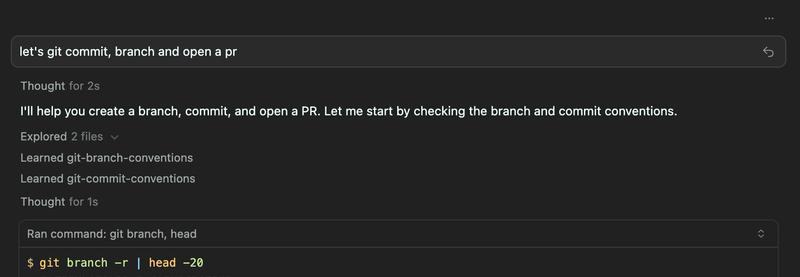
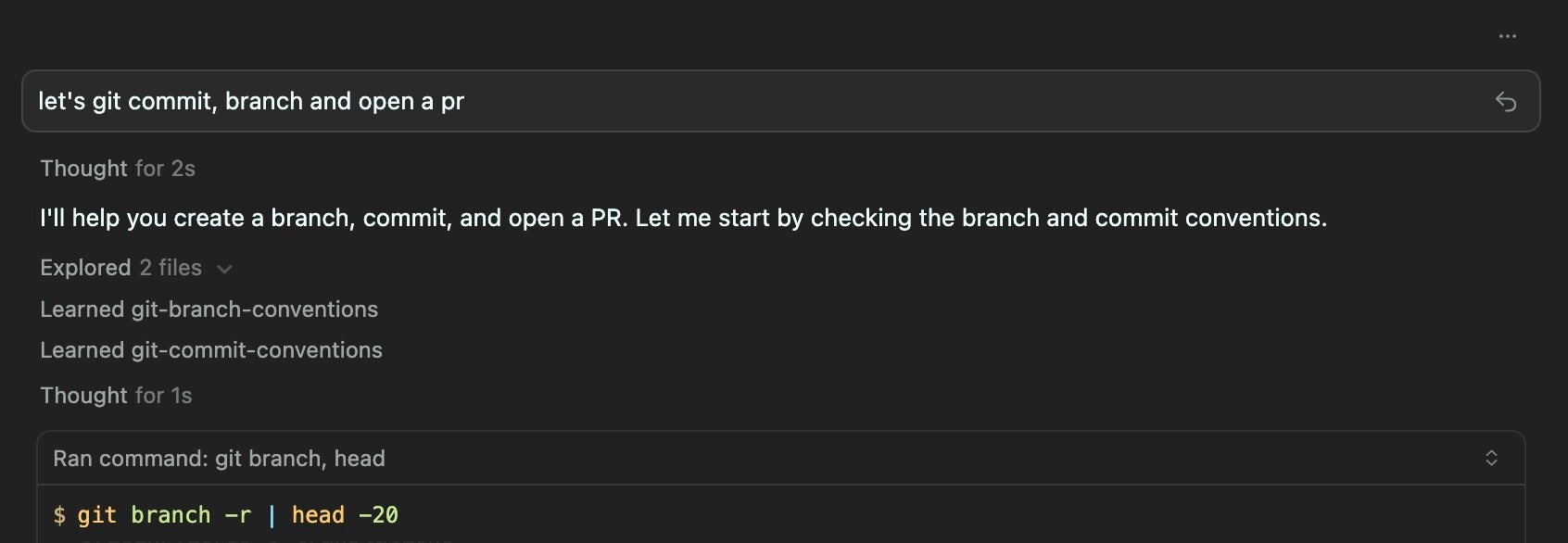
Click to expand: Git Commit Conventions Skill
---
name: git-commit-conventions
description: Discover and follow repository-specific git commit conventions by analyzing commit history. Use when creating commits, committing changes, writing commit messages, or when the user asks about commit conventions or commit message formats.
---

# Git Commit Conventions

Automatically discover and follow repository-specific commit message conventions.

## Core Principle

**"Copy the most recent similar commit"** - Every repo is different. Look at what's there, identify the pattern, and follow it exactly.

## When to Use

Apply this skill before:

- Writing commit messages
- Committing changes
- When user asks "what's the commit format here?"

## 🚨 CRITICAL: Only Commit Files YOU Modified

### Rule

ONLY stage and commit files YOU edited with tools (StrReplace, Write, EditNotebook) during THIS conversation.

### When Committing

1. List files you edited with tools in this conversation
2. Run `git status` - ignore files you didn't edit
3. Run `git diff` on your files to verify
4. Stage explicitly: `git add file1.ts file2.ts`

### Never Use

- `git add .`
- `git add -A`
- `git add --all`

### If Uncertain

If `git status` shows files you don't remember editing, ask: "Should I commit only the files I edited: [list], or also include [other files]?"

## Discovery Workflow

### 1. Analyze Commit Patterns

Run `git log --oneline -15` and look for:

- **Ticket prefixes**: `JIRA-123`, `PROJ-456`
- **Conventional types**: `feat:`, `fix:`, `chore:`
- **Scopes**: `feat(api):`, `fix(ui):`
- **Format patterns**: `[prefix] type(scope): description` or `type: description`

### 2. Check Contributing Guidelines

Look for commit guidelines in:

- `CONTRIBUTING.md`
- `docs/CONTRIBUTING.md`
- `.github/CONTRIBUTING.md`

Note any specific requirements or automation tools (semantic-release, conventional-changelog).

### 3. Identify Files to Commit

Before staging:

1. List files you edited with StrReplace/Write/EditNotebook tools
2. Run `git status` and compare against your list
3. Run `git diff` on your files to verify changes
4. Stage only your files: `git add file1 file2`

Never use `git add .` or `git add -A`.

## Applying Conventions

### Match the Pattern You Discovered

**If you see conventional commits with ticket prefixes:**

```
PROJ-456 feat(api): add user endpoint
PROJ-789 fix(auth): resolve token validation
```

Format: `TICKET-XXX type(scope): description`

**If you see conventional commits without tickets:**

```
feat: add new feature
fix: resolve bug
```

Format: `type: description`

**If you see conventional commits with scopes:**

```
feat(api): add endpoint
fix(ui): correct alignment
```

Format: `type(scope): description`

**If you see plain descriptions:**

```
Add new feature
Fix authentication bug
```

Format: `Description` (Title case or sentence case - match what you see)

### Commit Message Best Practices

**Subject line:**

- Keep under 72 characters
- Use imperative mood ("add" not "added")
- Match repo's capitalization pattern
- Be specific but concise

**Body (when needed):**

- Blank line after subject
- Explain WHY, not just WHAT
- Reference tickets/issues when relevant
- Wrap lines at 72 characters

## Common Patterns Reference

| Pattern               | Example                      | When to Use                       |
| --------------------- | ---------------------------- | --------------------------------- |
| Conventional Commits  | `feat: add feature`          | Modern projects, semantic-release |
| Conventional + Ticket | `PROJ-123 feat: add feature` | Enterprise, Jira integration      |
| Angular Style         | `feat(scope): description`   | Large projects with modules       |
| Plain Description     | `Add new feature`            | Simple projects, legacy repos     |

### Common Conventional Types

- `feat`: New feature
- `fix`: Bug fix
- `docs`: Documentation changes
- `style`: Formatting, missing semicolons, etc.
- `refactor`: Code restructuring without changing behavior
- `perf`: Performance improvements
- `test`: Adding or updating tests
- `chore`: Maintenance tasks, dependency updates
- `ci`: CI/CD configuration changes
- `build`: Build system or external dependency changes

## Quick Example

```
User: "Commit these changes"

Agent:
1. Runs: git log --oneline -15
2. Sees pattern: "feat: description" and "fix: description"
3. Discovers: This repo uses conventional commits without tickets
4. Writes: "feat: add dark mode toggle"
```

## Additional Resources

For complete commit workflow including staging and pushing, see [commit-workflow.md](references/commit-workflow.md)

## Tips

1. **First 5-10 commits reveal the pattern** - don't overthink it
2. **When in doubt, ask the user** - "I see mixed patterns, which should I follow?"
3. **Consistency matters** - once you identify the pattern, stick to it
4. **Check for automation** - semantic-release, conventional-changelog need specific formats
5. **Be atomic** - one logical change per commit
6. **Explain WHY** - the diff shows what changed, your message explains why
Click to expand: Jira Ticket Workflow Skill
---
name: atlassian-jira-tickets
description: Create and manage Jira tickets using Atlassian MCP server. Use when creating tickets, issues, stories, bugs, or tasks in Jira, or when the user mentions Jira, Atlassian, or ticket creation.
---

# Atlassian Jira Ticket Creation

Create properly formatted Jira tickets by discovering templates and following team conventions.

## Prerequisites

Before creating a ticket, ask the user if unknown:

1. **Project Key** (e.g., `PROJ`, `MYTEAM`)
2. **Issue Type** (e.g., `Task`, `Story`, `Bug`)

## Workflow

### 1. Get Cloud ID

Call `mcp_atlassian_getAccessibleAtlassianResources()` to retrieve the Atlassian cloud ID. Save this for subsequent calls.

### 2. Find Project and Issue Types

Call `mcp_atlassian_getVisibleJiraProjects()` with the cloud ID and project key to get available issue types. Extract the issue type ID for the desired type.

### 3. Get Ticket Template

Call `mcp_atlassian_getJiraIssueTypeMetaWithFields()` with cloud ID, project key, and issue type ID. This returns:

- Required fields
- Default template structure (in `description` field's `defaultValue`)
- Allowed values for select fields

Parse the description template to understand expected sections (Description, Acceptance Criteria, Technical Notes, etc.).

### 4. Create Ticket

Call `mcp_atlassian_createJiraIssue()` with:

- Cloud ID
- Project key
- Issue type name
- Summary (title)
- Description (following the template structure)

The API accepts markdown and converts to ADF format. Fill all template sections thoroughly.

Return the ticket link to the user: `https://<site>.atlassian.net/browse/<issue_key>`

## Quick Example

```
User: "Create a ticket for adding dark mode"
Agent: Asks for project key and issue type
Agent: Executes 4-step workflow
Agent: Returns "Created PROJ-123: https://site.atlassian.net/browse/PROJ-123"
```

## Additional Resources

- For detailed MCP API syntax, see [api-calls.md](references/api-calls.md)
- For field metadata details, see [field-metadata.md](references/field-metadata.md)

## Error Recovery

| Error                               | Solution                                    |
| ----------------------------------- | ------------------------------------------- |
| "Cloud id isn't explicitly granted" | User needs to re-authenticate Atlassian MCP |
| "Project not found"                 | Verify project key with user                |
| "Issue type not found"              | List available types and ask user to choose |
| "Field X is required"               | Check template metadata for required fields |

## Best Practices

1. Always discover the template first - teams have specific structures
2. Match the template exactly - same headings and format
3. Fill all sections thoroughly, don't leave placeholders
4. Use the project's priority values from `allowedValues`
When to Create a Skill
So far I have identified two situations that make for good candidates for creating or using a skill: it’s either repetitive, or it requires expert knowledge.
The git workflow was evidently repetitive. But there’s another category where skills can be a great addition to the AI-assisted coding toolset.
Consider upgrading your React application from 18 to 19. That will mostly work but there are new additions such as the use hook or Actions that you want to be aware of for the upgrade. There’s tribal knowledge buried in Stack Overflow threads and GitHub issues. A well-crafted skill with curated knowledge beats scattered documentation every time. It’s more focused than just throwing the problem at an online search.
I haven’t built an Expo upgrade skill myself, but I’ve seen several floating around. I wouldn’t be too surprised if companies and framework authors start shipping these alongside their releases.
Getting Started (It’s Easier Than You Think)
Don’t know where to start? Hit up skills.sh. Vercel built a whole directory plus an npm package. Yeah, they want to push Next.js, but the tooling actually works across frameworks. I’ve actually seen Anthropic also directly contributing to this as well.
You can pull skills from other developers with npx skills. It handles symlinking and supports most major tools.
If you’re using Cursor, there’s a built-in “create-skill” skill. For other tools like OpenCode, I just gave it the documentation on skills and told it to write a meta skill that creates skills. This has served me well so far.
While using this in Cursor I have noticed a potential bug. Symlinking the SKILL.md works fine for project-level skills, but globally symlinked ones don’t seem to load. OpenCode handles both just fine. Likely just a difference in how Cursor resolves paths. For now, if you’re on Cursor, stick with project-level skills or skip the symlinks entirely.
Another nice addition is the fact that they get automatically loaded by Cursor. As I have stated about rules for instance, you don’t want to have your team operate with a different ruleset. And similarly Cursor will also automatically pick up on skills and load them on demand when the current task requires it. Making this feature opt-in instead of opt-out means there is less friction for your developers.
How to Actually Get Better at This
Almost every agent session should end with some version of: “What have you learned here? How can we make this more effective?”
I don’t even always do this myself. So much for practice what you preach. But when I do, I notice a real productivity bump on the next iteration. That’s how I ended up with the git workflow skill in the first place. It was a small game changer for me.
And the neat part about this is that you can also use those meta skills. Keep it manual at first so agents don’t trigger it too early. Or instruct them to ask at the end of sessions so you get the reminder for free. Generally I feel like starting manually and then automating is a good pattern for agents.
This alone for me is how agentic coding is currently evolving. Skills are another tool, but this sort of constant improvement shouldn’t be overlooked. I’ve seen people complain that their agents don’t get smarter, but they keep using them the same way. You have to actively improve your agent’s capabilities. Build the skills, refine the prompts, capture the learnings. Otherwise you’re just hoping the next model release fixes everything.
What to Try First
Pick something you do multiple times a day. For me it was the git workflow. For you it might be writing tests, deploying to staging, or scaffolding new components.
Create the skill. Use it for a week. Refine it based on what breaks or what you keep tweaking manually.
Then pick the next thing.
I’m currently reworking my repositories to use skills more systematically. Next up I’ll be diving into custom subagents. I’ve been experimenting with this already since OpenCode doesn’t let subagents run MCP tools, so I had to define one. I’ve been using it to explore Jira and Atlassian when I want to gather intel on a ticket. But that’s a story for another post.
For now, go create your first skill. Your future self will thank you.
What repetitive workflow are you going to turn into a skill first? I’m curious what patterns others are discovering and whether the git workflow resonates as much for you as it did for me.