Writing
From Sunlight to Prometheus: My Balcony Power Plant Journey
How I set up a balcony solar system, built a Prometheus exporter with Cursor, and redesigned my Grafana dashboard using Claude Code with MCP servers.
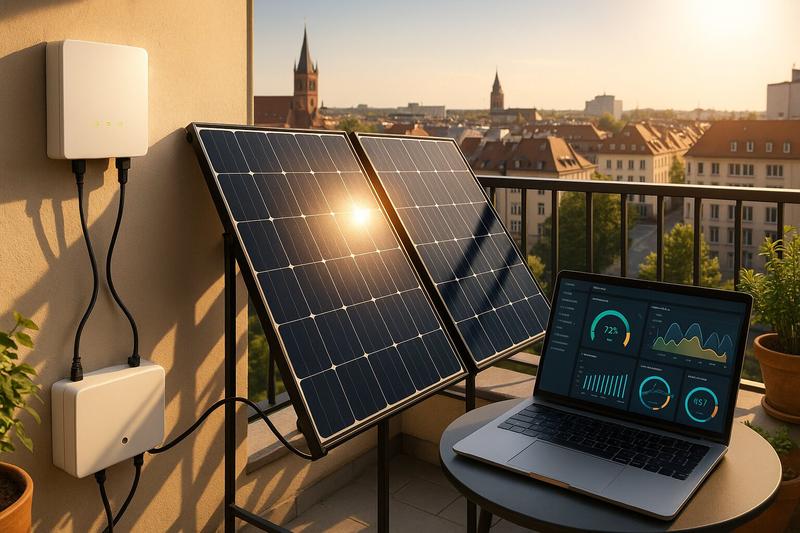
I’ve been eyeing a Balkonkraftwerk, literally “balcony power plant” because German loves a good compound noun, for a while now. These mini solar setups are increasingly popular in Germany, and the combination of finally getting my landlady’s permission and a colleague who’s basically become a semi-professional installer (11 setups and counting for friends and family!) made it feel like the right time to pull the trigger.
I ordered on December 5th. Thanks to my colleague’s guidance, I didn’t buy an overpriced complete package. Instead, he helped me select individual components that arrived via a shipping company. The panels landed on December 10th, and with my neighbour’s help, we got them mounted on the balcony the same day.
Big shout out to both of them. Couldn’t have done it so quickly without their help.
And then… I waited. Because I’d ordered the wrong cable 😅
The Hardware Learning Curve
Turns out BC01 ≠ BC05. A rookie mistake that meant I couldn’t actually connect the inverter to my apartment until December 14th, when I was back in Munich and the correct cable had finally arrived.
But the cable was the easy problem.
The real pain was the inverter itself, a Hoymiles HMS-800W-2T. It’s running beautifully now, but getting there nearly drove me mad.
Here’s something that isn’t documented well anywhere: do not have special characters in your WiFi SSID or password. An exclamation mark? A dash? I’d actually read about this issue before, but I didn’t believe that such common characters would already be a problem.
What made this especially maddening: the inverter can handle those “special” characters for a brief time. It connects, it works, and you think everything is fine. Then about 90 seconds later it drops the WiFi connection and resets. And then reconnects. And drops again. The error messages give you absolutely zero indication that the credentials are the cause.
I ended up calling the seller and speaking with a technician for about 10 minutes. He wasn’t surprised at all. Told me it’s a very well selling unit with very few returns, and pointed me straight to the special character issue. During the call, I spawned a temporary network with a simple password, and it connected instantly. Flawless ever since.
The frustrating part: not everyone has the luxury of running an OpenWRT-based access point where you can just add an “alias” network. Some people might have to reconfigure every device in their home just to satisfy this inverter. Consider this your public service announcement.
Why Offline Matters to Me
Before I bought the Hoymiles inverter, I did my homework. I wanted to run this thing completely offline.
I already have a Prometheus instance running for my smarthome metrics. I don’t need some manufacturer’s cloud. I can collect the data myself. I also prefer not having a device constantly phoning home to servers I don’t control.
The good news: there are alternatives. I found the hoymiles-wifi library, which allows you to connect locally and pull pretty much all relevant metrics. My inverter was on the supported list, so yey, I knew I could make this work.
The only gap? No Prometheus exporter existed for these devices.
Building the Exporter with Cursor
This is where AI-assisted coding came in.
Here’s the thing: I’m not a Python guy. I don’t particularly like Python. But the hoymiles-wifi library is Python, so Python it was. Thanks to Cursor, that wasn’t really a problem. I built hoymiles-wifi-exporter, a Prometheus exporter that wraps the hoymiles-wifi library and exposes all the relevant metrics. I even published it as a package to ghcr.io using uv, all without having to deeply understand the Python ecosystem.
It’s a liberating feeling. These days it feels like I could code in just about any language.
It wasn’t perfect on the first pass. A few things I had to iterate on:
- Handling offline states: When it’s dark, the inverter doesn’t draw from the grid. It just shuts off entirely. The exporter now sets metrics to 0 when the inverter is unreachable, rather than leaving stale data.
- Metric deduplication: I’m still ironing out a bug where grid metrics and inverter temperature get duplicated across the two panel inputs.
- Wrong dictionary keys: At one point we were using the wrong keys to extract values from the library’s response. Cursor’s new debug mode was really helpful here, letting me step through and see exactly where the data mapping was going wrong.
That 90-second WiFi drop I mentioned earlier? It made developing the exporter even more annoying. The connection would work just long enough to make me think my code was the problem, then fail in ways that seemed random. Once the WiFi issue was resolved, debugging the actual exporter logic became much more straightforward.
But overall, Cursor got me to a working solution fast. It’s the kind of project where AI handles the boilerplate and library integration, and I steer the domain-specific logic. The fact that the language was unfamiliar to me barely mattered.
The exporter is production-ready and running on my own setup. Feel free to use it if you have a similar Hoymiles inverter.
Redesigning My Grafana Dashboard with Claude Code
The second place AI helped was my Grafana dashboard.
I already had a smarthome dashboard with temperature sensors, humidity, and basic power monitoring. It was… fine. Functional but ugly. The solar integration I’d added was serviceable but nothing more.
I had the idea to use Claude Code with MCP (Model Context Protocol) servers to improve it. The setup:
- A Grafana MCP server with editor rights, so Claude Code could see and modify my existing dashboard
- A Prometheus MCP server so it could browse available metrics After some friction figuring out where Claude Code wants MCP servers configured, I got it working. And then things moved quickly.
Claude Code could see my existing dashboard. It could query my actual metrics. It understood what data I had available. From there, it pretty swiftly updated the dashboard to something much nicer.
It even helped me debug why one of my sensor metrics was broken. Turned out to be a naming issue.
One hiccup: It initially misunderstood my “net power” metric. My basement meter reports what I’m drawing from the grid, which is already net of solar feeding back. So my total consumption is grid power plus solar generation, not minus. Once I explained this, Claude Code corrected its own logic. It even acknowledged the mistake: “My ‘Net Power’ panel was wrong - it was subtracting solar again which makes no sense.”
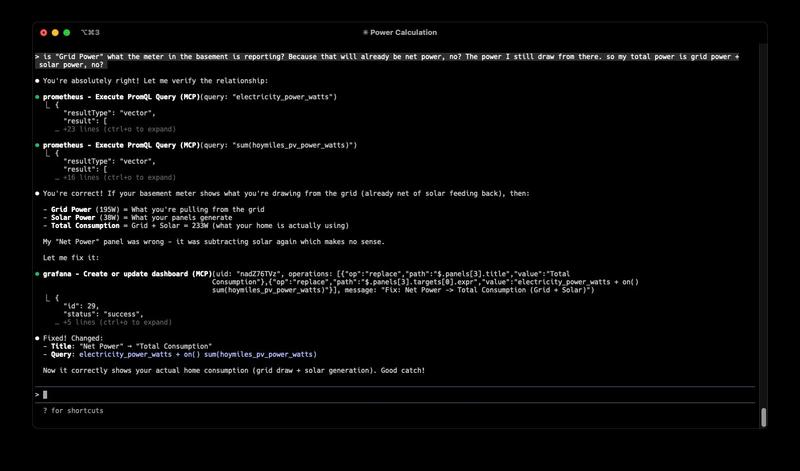
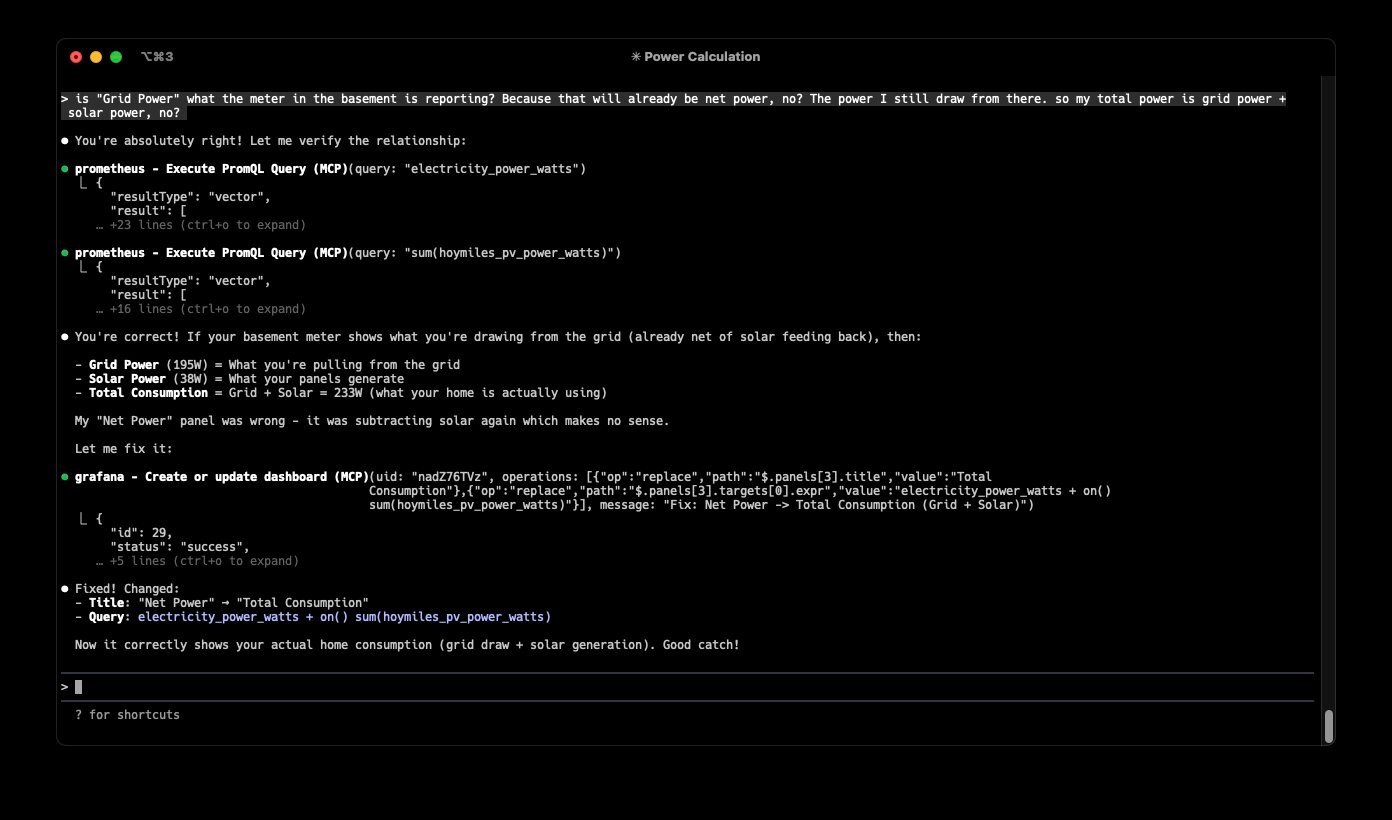
That back-and-forth is what makes this workflow powerful. Claude Code isn’t magic. You still need to explain your domain. But when it can see your real data and modify your real systems, the iteration loop is incredibly fast.
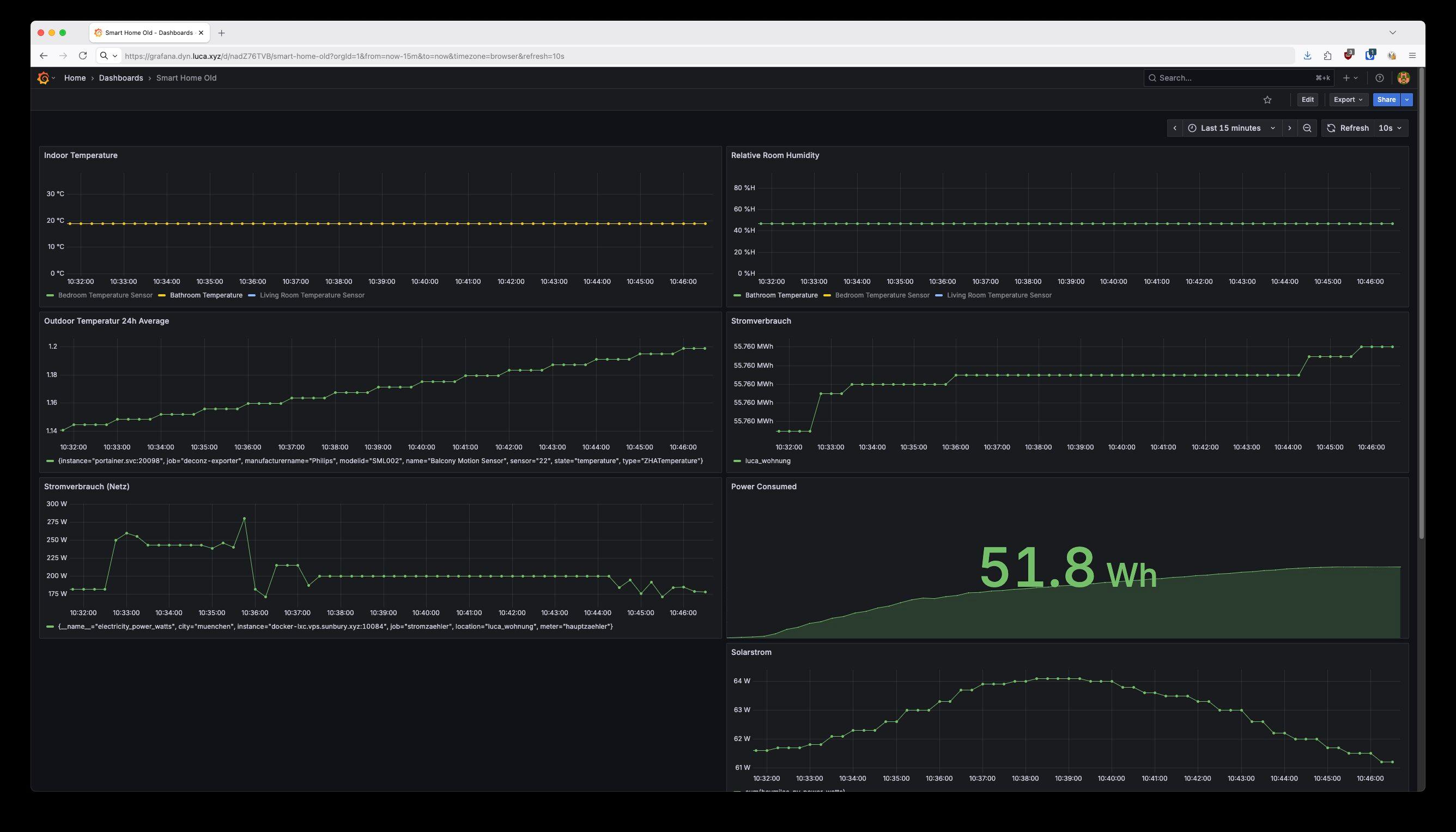
The Setup Today
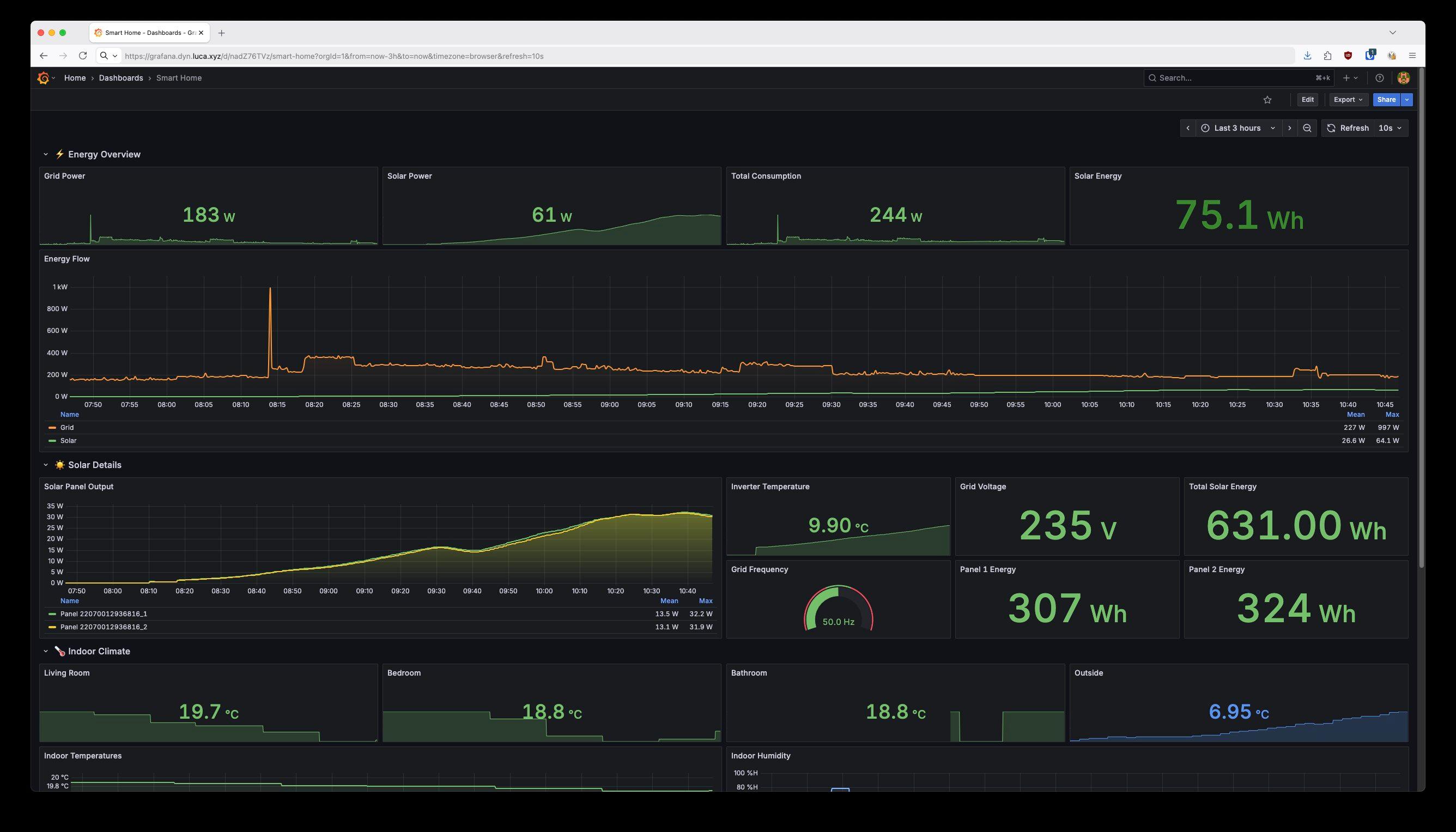
Here’s what I’m seeing after just a few days of operation:
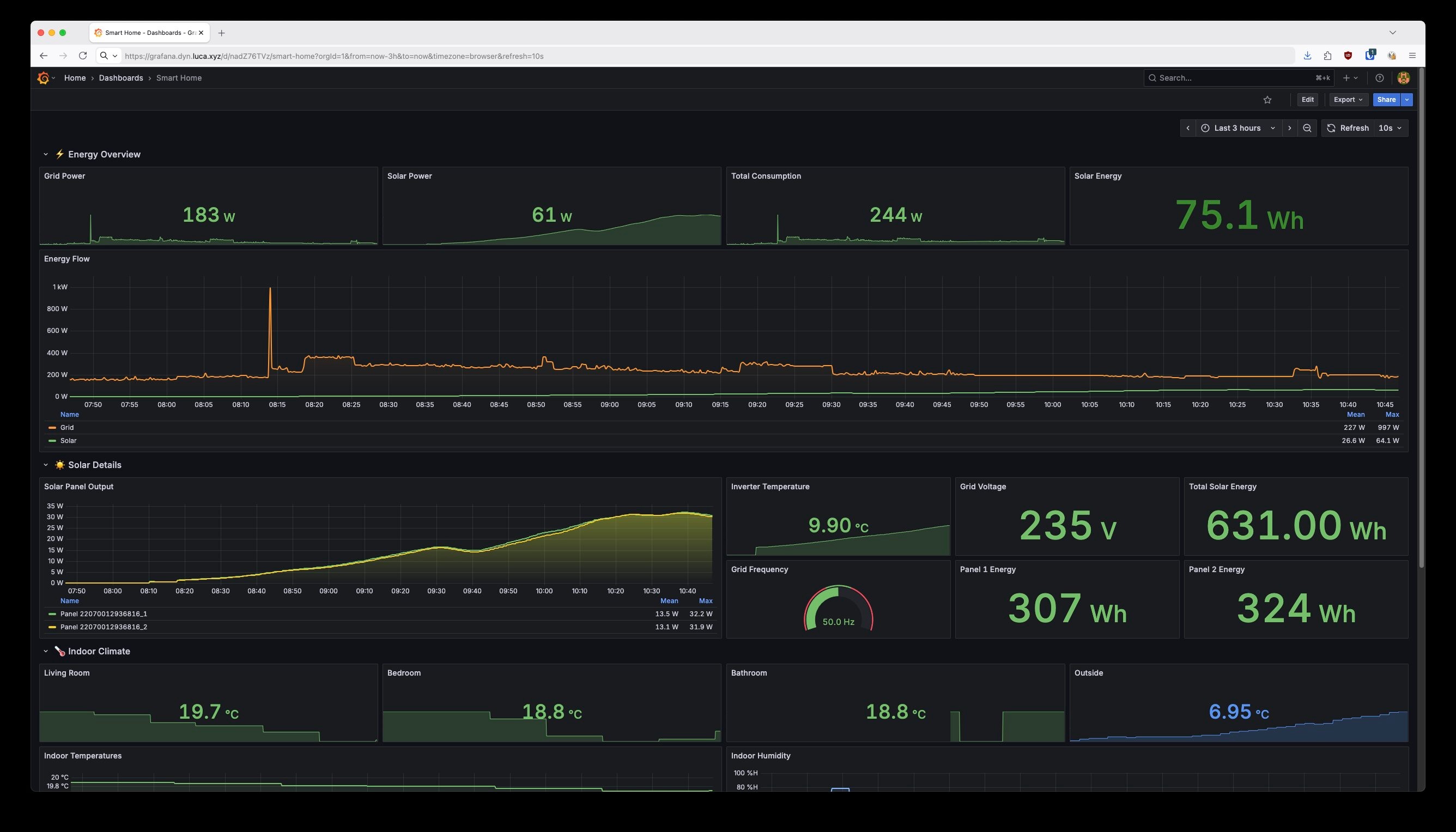
The dashboard now has clear sections: ⚡ Energy Overview at the top with stat panels for at-a-glance numbers, ☀️ Solar Details showing per-panel output and inverter metrics, and 🏠 Indoor Climate for my temperature sensors.
The Energy Flow chart is my favorite addition. You can see exactly when solar kicks in each morning and how it compares to grid consumption throughout the day.
Takeaways
A few things I’d tell someone starting their own balcony power plant journey:
- Find someone who’s done it before. My colleague’s part selection advice saved me money and headaches.
- Double-check your cables. BC01 ≠ BC05. Learn from my mistake.
- Test your WiFi credentials. If you have special characters and your inverter is acting up, try a simple SSID/password first. Yes, even dashes and exclamation marks. And don’t be fooled if it works for a minute or two before dropping.
- You don’t need the manufacturer’s cloud. Libraries like hoymiles-wifi give you local access to your data.
- AI tools shine when connected to real systems. Cursor (especially debug mode) got the exporter built quickly. Claude Code with MCP made the dashboard redesign almost trivial.
My overall takeaway? I want to use Claude Code more often, especially with MCP to connect it to real systems. There’s something powerful about an AI that can see your actual data, understand your actual constraints, and make changes directly, with you guiding the domain knowledge.
And as for languages I don’t know? Bring them on. It barely matters anymore.
Now if you’ll excuse me, I need to go check how much power my panels are generating. The sun’s out.
The hoymiles-wifi-exporter is open source and available on GitHub. If you have a Hoymiles inverter and want to run it offline with Prometheus, give it a try.
What about you? Have you set up a balcony power plant or similar home energy monitoring? I’m curious what tools you’re using to track your data, and whether you’ve connected AI assistants to your real infrastructure. Any MCP server setups worth sharing?