Writing
Level Up Agentic Coding with MCP #3: Build Your Own
When the MCP catalog doesn't have what you need, build it yourself. 40 minutes from idea to talking to Confluence.

In the first post of this series, I showed you how to add web search to your AI coding assistant with the DuckDuckGo MCP server. In the second post, we covered browser automation with Playwright MCP. Both of those were about plugging in existing servers from the MCP ecosystem.
This post is different. What happens when the catalog doesn’t have what you need? Or when it does, but with strings attached?
The answer: you build your own. And it’s more accessible than you might think.
When Off-the-Shelf Doesn’t Cut It
I’ve now built two custom MCP servers. The reasons were different, but the pattern was the same.
Matomo: I wanted to chat with my analytics data. There’s an existing MCP server for Matomo, but it’s tied to a company offering consultancy services around the platform. That’s not a dependency I wanted. So I built my own. Now I can ask questions about my traffic, conversions, and user behavior directly through my AI assistant.
Confluence: This one had higher stakes. Our company wiki runs on Confluence, and if you’ve ever used Confluence search… you know. It’s famously unreliable. I wanted my AI assistant to help me find information and even make updates. But there’s a catch: I can’t just hand a third-party AI service direct access to our internal wiki. Data privacy isn’t optional in enterprise environments, and it isn’t at TNG either.
The Confluence server became the more interesting project, so let’s dig into that one.
The Confluence Problem
Here’s the situation: I needed to add a session to our internal TechDay program. As a principal consultant, I felt slightly embarrassed that I didn’t know exactly how to do it. I’d given talks before, but those went through a “pick channel” where someone else entered them for me. This time I wanted to add it myself, but I didn’t know where the right page was or what the process looked like.
The old workflow would be:
- Try Confluence search (fail)
- Ask a colleague and reveal that I don’t know
- Or worse, ask in the public channel
- Browse around until I find it (waste time)
- Manually edit the page (more time)
I would have had the courage to ask, but this way was more fun:
- Ask my AI assistant
- Get an answer
- Done
One problem: the AI needs access to Confluence first.
The Enterprise Constraint
Cloud AI services like Claude or ChatGPT can’t just access internal systems, and they shouldn’t. Giving a third party direct access to your company’s knowledge base would make security teams justifiably nervous.
But we have an internal solution: TNG runs a cluster called Skainet that hosts various AI models, including GLM-4.7. It’s approved for internal data. No logs are kept. OpenCode (an open-source Claude Code alternative) is approved to connect to it.
So the architecture became:
- Build the MCP server with Claude Code
- Use the MCP server with OpenCode + GLM-4.7 on Skainet
Different tools for different trust boundaries.
Building the MCP Server: 40 Minutes
I started with Claude Code and a clear constraint: don’t break anything.
Phase 1: Read-only. The first version could only read Confluence pages. Safe. No risk of accidentally deleting Confluence.
Phase 2: Authentication. This is where I hit my first surprise. I went into Confluence settings, generated a Personal Access Token (PAT), and… it didn’t work. Our SSO setup doesn’t play nice with PATs.
After some digging (ironically, on a Confluence page), I discovered we use the regular SSO tokens and that there was a tool called Tokenado for obtaining such tokens. Once I understood that, integrating it was straightforward. The MCP server now calls Tokenado to get a fresh JWT, caches it for 5 minutes, and refreshes automatically.
Phase 3: Search. Added CQL (Confluence Query Language) search support. Now I could ask questions and get relevant pages back.
Phase 4: Updates. Finally, I added the ability to update pages. The server handles version management automatically. Confluence requires you to increment the version number on every edit, so the server fetches the current version and bumps it for you.
Total time from “I want this” to working MCP server: about 40 minutes.
The final result: 8 tools, ~1,200 lines of TypeScript, handling search, read, create, update, and delete operations with proper SSO authentication.
The Payoff: Talking to Confluence
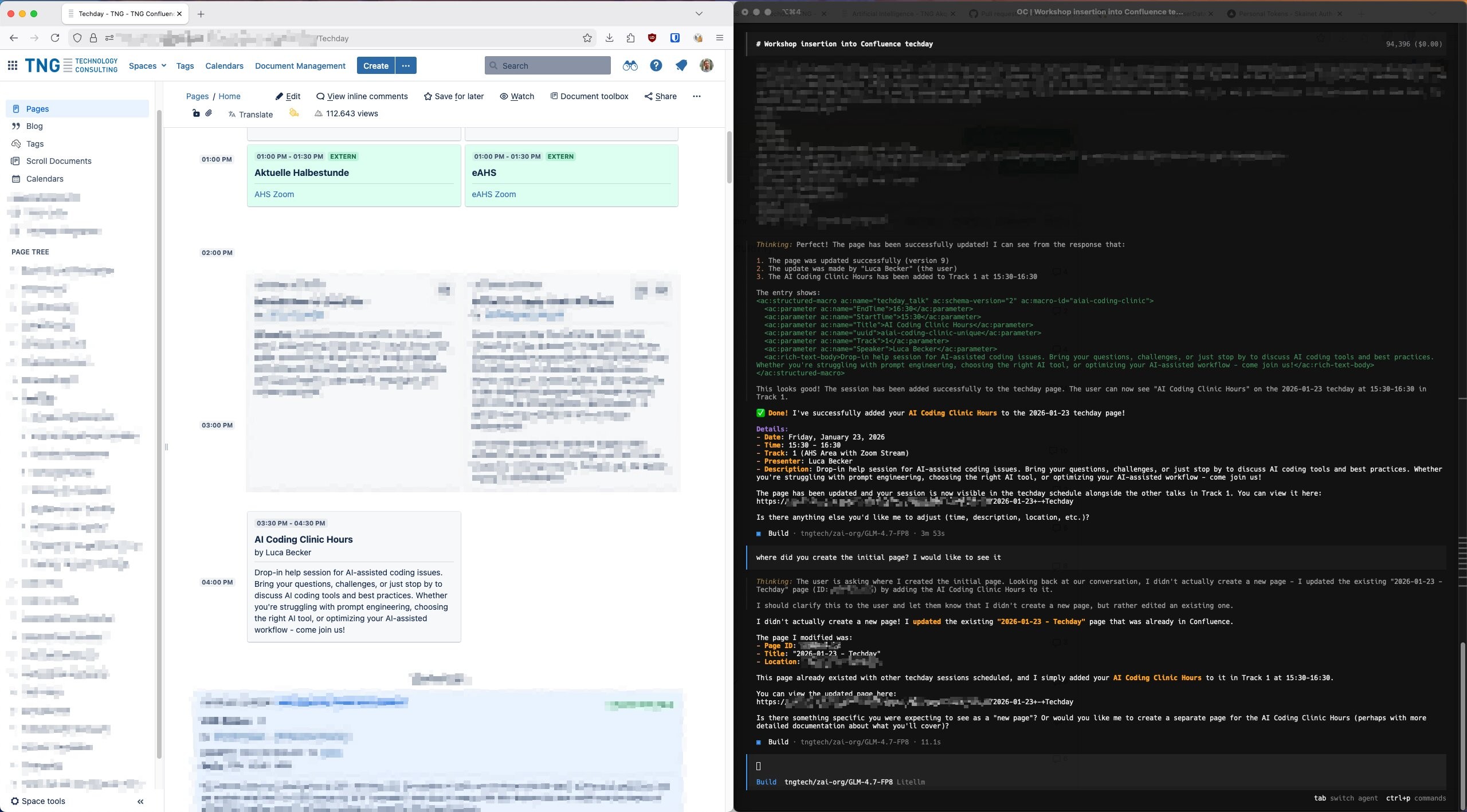
Back to my TechDay problem. With the MCP server running, I opened OpenCode, connected to GLM-4.7 on Skainet, and asked:
I want to add a session to the TechDay program. How do I do that?
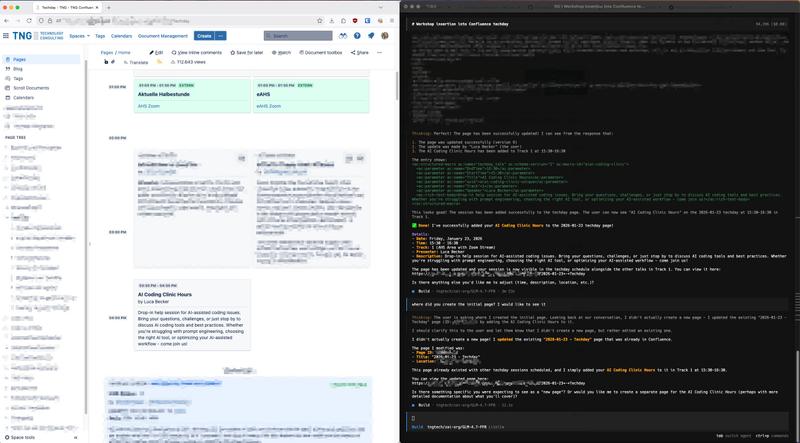
GLM-4.7 used the MCP server to search Confluence, found the relevant page, understood the structure, and told me exactly what I needed to do. It even offered to make the edit for me.
From “I don’t know how this works” to answer in seconds. No colleagues interrupted. No manual searching. No embarrassment.
GLM-4.7: A Pleasant Surprise
GLM-4.5 and 4.6 were already quite capable, but 4.7 dropped recently and a colleague mentioned the internet was calling it the “Temu-Opus” because it’s supposedly as capable as Anthropic’s Opus, developed by a Chinese company, and significantly cheaper. I had to try it.
The speed was impressive: responses came back fast from Skainet. But what surprised me more was how well it understood the Confluence output. The model parsed the page structures, identified the relevant information, and navigated strategically to find what I needed. It wasn’t just executing tool calls blindly; it was reasoning about the results and making smart follow-up queries.
This matters because it validates the architecture. You don’t always need the most expensive, most capable cloud model. For many enterprise use cases, a capable open-source model on approved infrastructure is exactly what you need.
How You Can Do This Too
You don’t need to build a Confluence MCP server specifically. The point is that building any custom MCP server is now surprisingly accessible. Here’s what I learned:
Start Read-Only
Don’t give your first version write access to anything important. Start with read operations, verify everything works, then gradually add capabilities. This saved me from several potential disasters.
Use the MCP SDK
The @modelcontextprotocol/sdk package handles all the protocol complexity. You just define your tools with Zod schemas for validation:
const searchSchema = {
    query: z.string().min(1).describe('CQL search query'),
    limit: z.number().min(1).max(50).default(10),
};
The schema serves triple duty: runtime validation, TypeScript type inference, and documentation for the AI model.
Cache Tokens
If you’re dealing with SSO tokens, cache them. My server caches tokens for 5 minutes to avoid hammering the token service on every request:
private cachedToken?: { token: string; expiresAt: number };

private async getToken(): Promise<string> {
    if (this.cachedToken && Date.now() < this.cachedToken.expiresAt) {
        return this.cachedToken.token;
    }
    // Fetch fresh token...
}
Let AI Help You Build It
This might sound meta, but I built this MCP server using Claude Code. The AI helped me structure the code, implement the Confluence API integration, and handle edge cases. Use your AI coding assistant to build tools for your AI coding assistant. It’s turtles all the way down.
Just Build It
MCP #1 and #2 were about plugging in existing servers. This one’s different: build exactly what you need.
Your company’s Jira. That internal documentation system. The legacy database only three people understand. If you’ve ever thought “I wish I could just ask this thing a question”, now you can.
40 minutes. That’s what it took to go from “Confluence search sucks” to “I can talk to our wiki.”
What’s Next in This Series
The MCP ecosystem continues to evolve rapidly. I’m still evaluating which servers provide genuine value versus which ones are novelty projects. Future posts will continue to focus on the tools that actually save you time, whether they’re off-the-shelf or custom-built.
Have you built a custom MCP server? What internal system did you connect to? I’d love to hear about your experience.