Adding a Battery to My Balcony Solar and Reverse-Engineering Local Control
Slotting a Marstek B2500-D between my panels and inverter, expecting a cleaner local API, and ending up building two open-source Go services around its undocumented MQTT interface.
Published on April 24, 2026
solar battery prometheus mqtt homelab smart-home
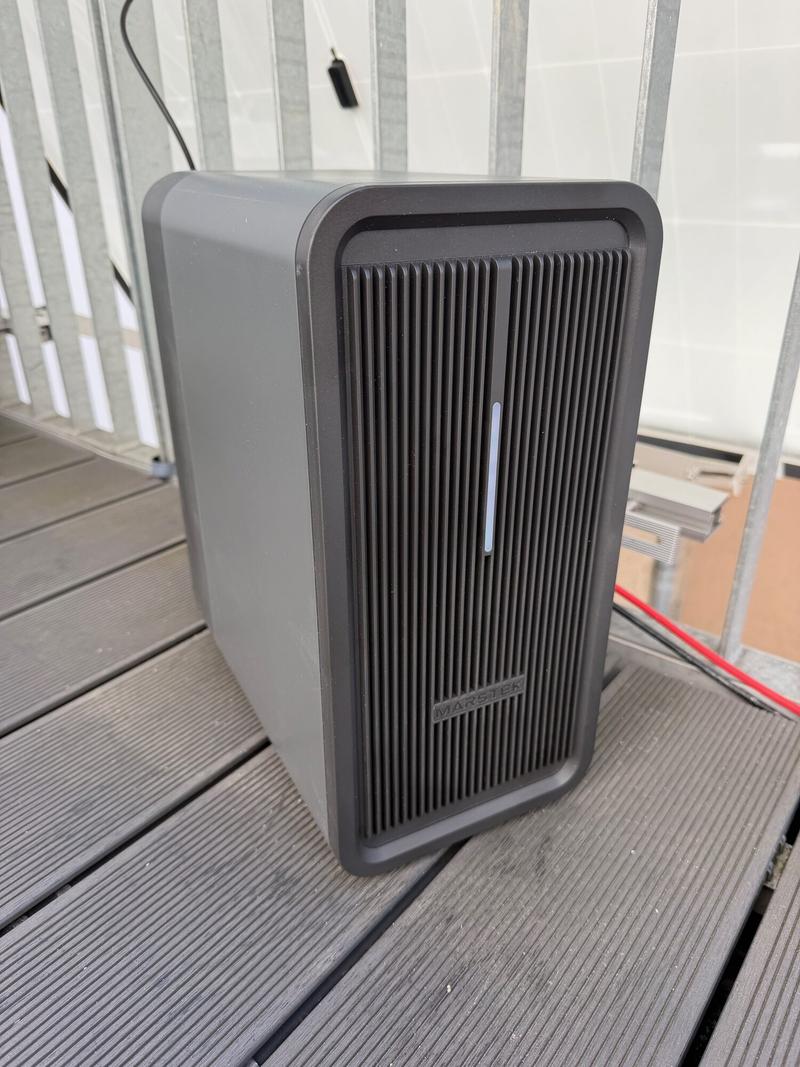
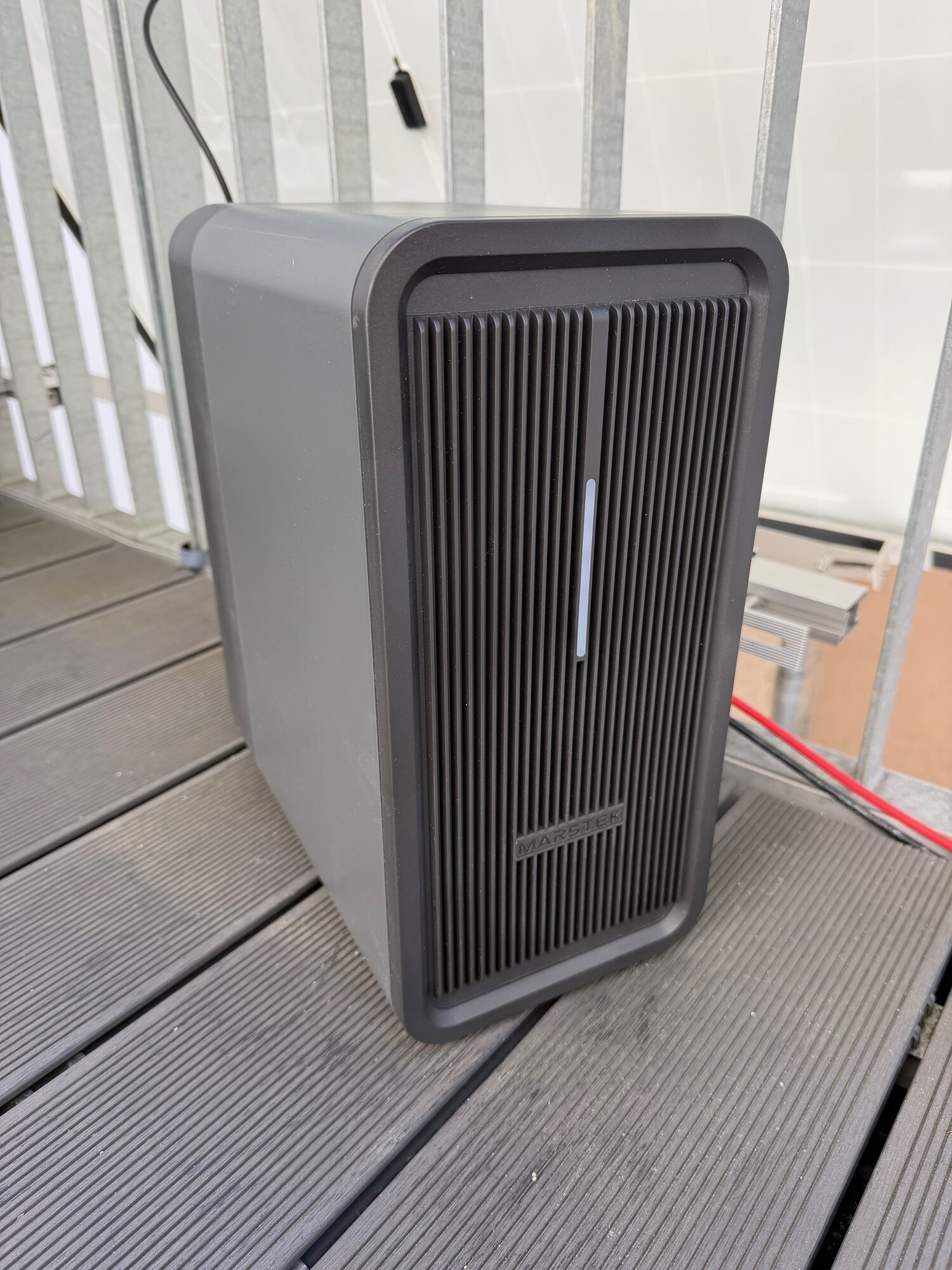
My balcony solar rig has a battery now. I bought a Marstek B2500-D because I was getting a bit tired of watching decent midday production go straight into the grid. If I already have the power on the balcony, I would rather keep some of it and use it later.
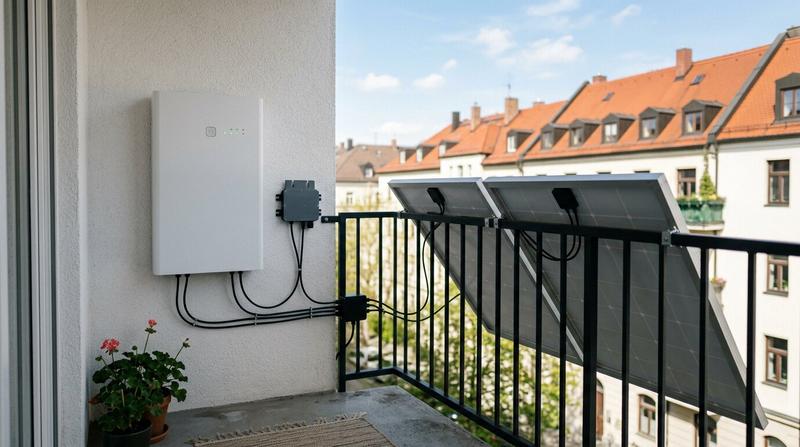
On the hardware side, this upgrade is pretty straightforward. The panels go into the battery, and the battery goes into the inverter. That was also the main reason I picked this model. It does not have its own inverter, so I could keep the Hoymiles HMS-800W-2T I already had and just add the battery in the middle.
The annoying part was the software. I bought it partly because I wanted local control, and I assumed that meant some normal local API. What it actually meant was MQTT, some community reverse-engineering, and a weekend project. It is there, but it is definitely not the first integration path they put in front of you. In the end I wrote two small Go services so it works properly with my own setup and not through the vendor cloud.
Why now
When I set up the panels back in December, the plan was always “collect data first, then decide on storage”. I had roughly four months of Prometheus history by the end of March, from December through the first properly sunny week of April, and the picture was clear enough: on any halfway decent day, I was regularly exporting more power than the apartment was consuming. The ETC mining experiment soaked up some of that surplus, but it was never the plan to cover the rest of the year with an RTX 3060.
The colleague who helped me pick the original panels nudged me on the battery question again, and at €310 the maths stopped being “maybe next year”. Shipping took a bit. It landed Friday.
Another reason I bought the B2500-D is that it doesn’t have an inverter of its own. That matters because the Hoymiles HMS-800W-2T I’d already installed is running fine, I’d already built an exporter for it, and replacing it would’ve meant ripping it out, relisting it on Kleinanzeigen, and redoing that piece of the stack. A lot of “all-in-one” balcony batteries force exactly that. This one just slots in between.
The wiring
The new chain is:
flowchart TD
Sun["☀️ Solar Panels<br/>(2× 410W, east-facing)"]
Battery["🔋 Marstek B2500-D<br/>(MPPT + storage)"]
Inverter["⚡ Hoymiles HMS-800W-2T<br/>(existing)"]
Flat["🏠 Apartment"]
Mqtt["📡 Mosquitto Broker<br/>(local)"]
Exporter["📊 marstek-exporter<br/>(cd=1 poll)"]
Controller["🤖 marstek-controller<br/>(cd=20 write)"]
Prom["📈 Prometheus"]
Sun --> Battery
Battery --> Inverter
Inverter --> Flat
Battery <-.MQTT.-> Mqtt
Mqtt --> Exporter
Controller --> Mqtt
Exporter --> Prom
Prom --> Controller
classDef hardware fill:#fef3c7,stroke:#f59e0b,stroke-width:2px
classDef software fill:#dbeafe,stroke:#3b82f6,stroke-width:2px
classDef service fill:#d1fae5,stroke:#10b981,stroke-width:2px
class Sun,Battery,Inverter,Flat hardware
class Exporter,Controller software
class Mqtt,Prom service
The top row is pure DC and AC. The bottom half is the thing I actually had to build.
What I didn’t catch before buying
I did do my due diligence before buying. I watched the YouTube reviews. I read the forum threads. I saw people clearly controlling their Marstek batteries locally, without the vendor cloud. I figured that meant a documented local API.
What I didn’t catch at the time: a lot of the “proper-ish API” material online is actually about Marstek’s Venus line, the larger inverter-integrated siblings, which does have a more official-feeling integration surface. The B2500-D is not part of that family and has different integrations. No documented API. No openhab bindings shipped by the vendor. What it has is an undocumented MQTT dialect that the phone app happens to speak, and a handful of enthusiasts on Reddit who’ve pieced parts of it together by sniffing the app’s traffic.
That’s a fine thing to inherit if you’re going in with your eyes open. It’s less fine when you’ve already plugged the thing in and you realise what you signed up for was reverse-engineering, not integration.
Behind the laptop-screen reaction there was also the other reason I’d gone into this wanting local control in the first place: I don’t particularly want a random Chinese manufacturer to have a live telemetry stream of how much energy flows through my apartment, when I’m home, when I’m not, and how full my battery is at any given minute. That’s the same thread that runs through the panel post. I already have Prometheus, I can collect my own data, and I’d rather the device not phone home at all.
So. No proper REST-style API. MQTT it is.
Making it work anyway
None of this was really surprising. It was just one more data point in a stack I’ve been building for a while: AI is quietly turning software into a commodity. Luckily, I didn’t have to start from zero. There was already an existing GitHub project I could lean on, namely the hmjs / hm2mqtt work by tomquist, which documents and exercises enough of the protocol to make the whole thing much less mysterious. That meant moving the relevant bits into my own Python helper and then into the Go services was pretty straightforward. I described the problem to an AI assistant, pointed it at that existing work plus the scattered community documentation, and iterated on a small Python helper that speaks the app’s undocumented BLE + local commands well enough to flip the battery into “talk to my MQTT broker, not the cloud” mode. It took an afternoon. A few years ago this same task would have been a weekend of Wireshark captures, a decompiled APK, and a notebook full of hex.
Once the battery is pointed at a local broker, the MQTT protocol itself is actually pretty tractable:
You publish cd=1 to its command topic.
It publishes a flat key=value,key=value,... status payload back on its status topic.
You publish cd=20 to set a timed-discharge slot’s power (volatile, gone on reboot, which is what you want; no flash wear from a tight control loop).
The device won’t push telemetry on its own. You have to ask, every time. Everything else is mapping keys to metrics.
A lot of people solve this sort of thing with Home Assistant, and I could have gone down that route too. I didn’t, mostly because I’d already picked Homebridge for my setup and have been perfectly happy with it. The downside is obvious: if you want a controller, you get to write your own controller. The upside is also obvious: you get to write your own controller, with exactly the algorithm you want instead of trying to squeeze your requirements into somebody else’s automation model.
Two small Go services
With the protocol understood, the control stack broke cleanly in two. Both are Go, which is the language I keep reaching for for this kind of thing: static binaries, small images, nothing to install on the target host, and a sub-20 MB footprint that’s happy running next to the rest of my homelab without adding a Python runtime or a JVM to the mix.
prometheus-marstek-mqtt-exporter: A Go exporter that sits on the MQTT broker, fires a cd=1 poll every 30 seconds, parses the status blob, and exposes it as Prometheus metrics: marstek_battery_soc_percent, marstek_solar_input_watts{input="1|2"}, marstek_output_watts{output="1|2"}, marstek_daily_battery_charge_wh, marstek_temperature_celsius, and a few dozen friends. No BLE, no cloud, no phoning home. The repo also ships an optional cloud emulator, which is one of those features where a normal reader would probably skim past it and an attentive reader might pause for a second and ask why that exists. We’ll come back to it.
marstek-prometheus-controller: A Go daemon that reads my existing electricity_power_watts metric from Prometheus, runs it through an EMA smoother, and writes a single timed-discharge slot over MQTT to keep the grid meter near zero. It has a small import bias (default 50 W; it’s better to leave a deliberate 50 W of import than to accidentally export discharged battery energy), a deadband and ramp limits so it doesn’t command-chatter, a SoC soft floor derived from the device’s own DoD setting, and a fallback that drops discharge to zero if Prometheus goes stale or MQTT silently dies. It also exports its own metrics so I can alert on its own health.
Same broad shape as the mining controller: watch grid power, act on it, but with a lot more care around not making things worse. In my setup, discharging battery energy into the grid would mean burning cycles for basically no economic upside. I could get a bidirectional meter, but the price of that would be higher than what I’d realistically get back from feeding small amounts into the grid.
It works
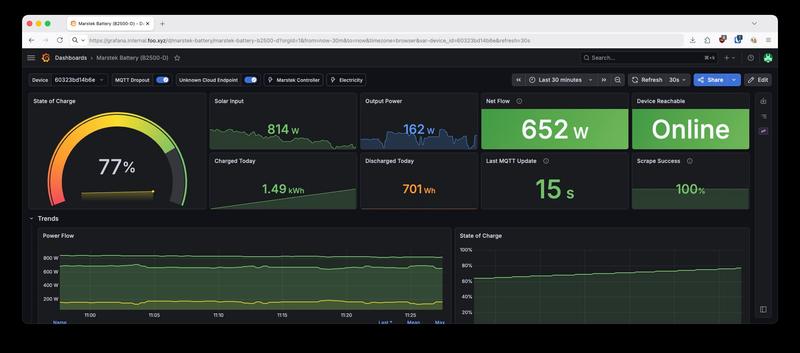
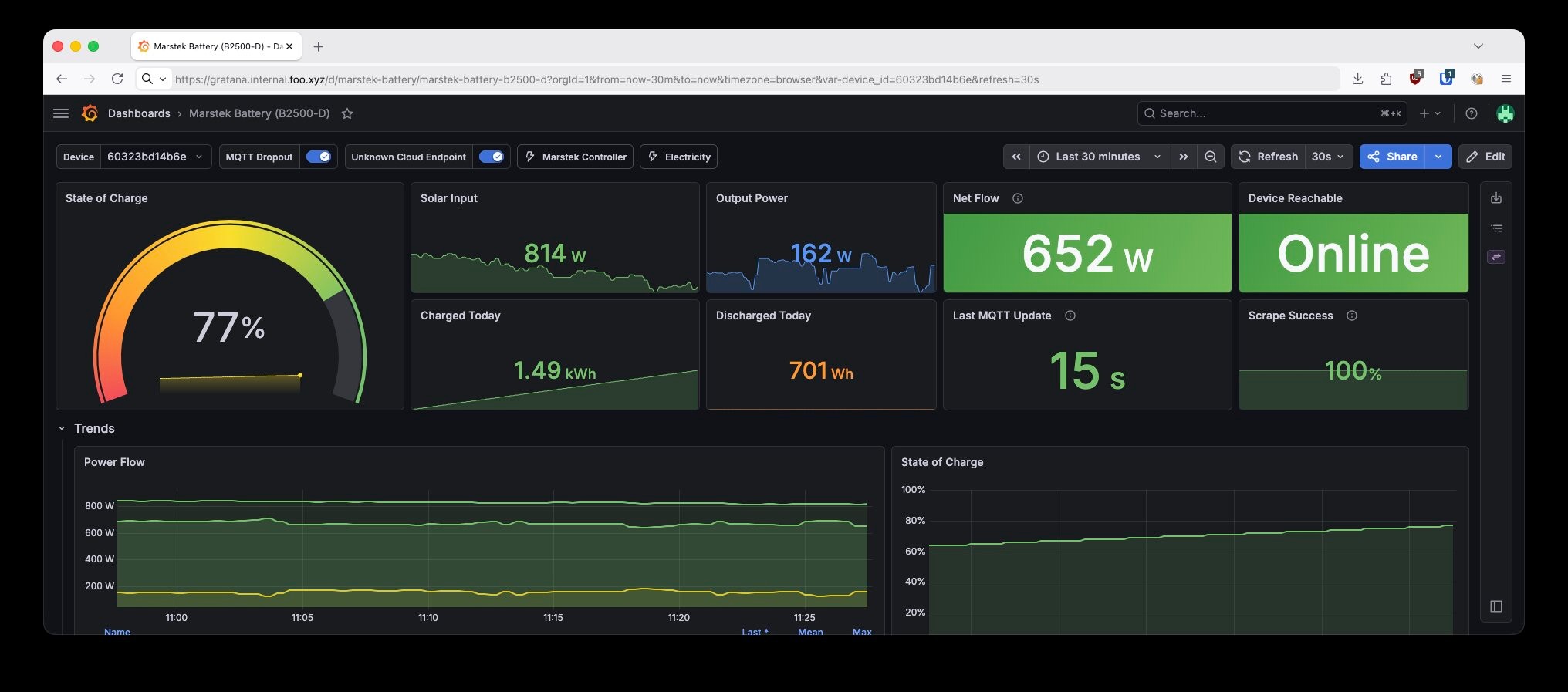
As I’m writing this, the dashboard in front of me says:
SoC: 77%. So not full yet, but clearly charging along nicely.
Solar input: 814 W. That’s pretty close to what the panels can do in a good moment.
Output power: 162 W. The battery is already feeding some of that energy back into the flat.
Net flow: 652 W. At that moment there was still plenty left over to keep charging the battery.
Today so far: 1.49 kWh charged, 701 Wh discharged. Still very much on the “charging first” side of the day.
Device reachable: Online. Last MQTT update: 15 s ago. Scrape success: 100%. Which is exactly what I want to see from something that is supposed to run quietly in the background.
It’s that same quiet satisfaction as the mining controller: a system that does the right thing on its own and writes numbers to Grafana while it does. I still enjoy watching those numbers throughout the day.
One more thing — just not yet
There’s one detail I skipped over. For the first few days after I got the battery running, it would vanish from WiFi every eight hours or so. Just… gone. The only way to bring it back was to open the phone app and re-enter the credentials. Once per workday, basically.
I briefly wrote a watchdog daemon that used BLE to notice when the battery had fallen off the network and to re-push the WiFi credentials the same way the app does. That idea was better than the actual results. My homeserver is probably just a bit too far away from the battery for Bluetooth to be reliable enough, although I never fully proved that beyond it being the most obvious explanation.
Then I resorted to tcpdump and made use of the fact that my router runs a full OS with OPNsense, which made it pretty easy to dump the battery’s traffic. At that point the story stopped being “annoying WiFi bug”. That’s a separate post. I also emailed Marstek about what I found. No reply yet.
That’s a separate post. Watch this space.
Where it leaves the setup
Panels → battery → inverter → flat. One extra Go service that polls a device over MQTT and one more that controls it. No vendor cloud in the data path. My grid meter hovers near zero when the sun’s out, and the surplus that used to be given away for free now ends up in storage and comes back out after dark.
One follow-up is queued up. It’s the WiFi rabbit hole I just teased. The broader point doesn’t need its own post anymore: I don’t trust China, I don’t trust the firmware on this device, and I don’t want to rely on some manufacturer maintaining their server just so that I can keep using my battery.
If you’ve been running a balcony battery, especially a B2500 or one of the Venus units, I’d be curious what your control stack looks like, and whether you’ve noticed the same quiet internet dependency, or whether I’m holding it wrong.