Writing
Stop Writing Prompts
Why I dictate substantial AI prompts instead of typing them, how voice adds useful context, and where tools like Cursor and OpenCode still fall short.
This post started as a dictated prompt.
I opened Cursor, pressed the microphone button, and started talking about why I think more people should stop writing prompts. I talked for five minutes until Cursor stopped the recording, then started another one. Across those recordings, I formulated the initial idea, mentioned examples from Cursor and OpenCode, privacy, language support, working in an office, sitting on an ICE train, and my own relationship with AI-assisted writing.
I would not have typed all of that. Dictation got more context out of my head, and this post is an invitation to see whether it does the same for you.
Typing Makes Me Leave Context Out
When I type a prompt, I do not consciously decide to make it efficient. The compression happens on its own. I know what I want, but I also try to be efficient, and sometimes that produces a “fix it” or “build that” even though I have far more context available.
That missing context often matters. Thoughts, constraints, and implicit assumptions remain unexpressed even though they would help the agent. Speaking gets them out more easily, at least for me. I remember examples, backtrack, and clarify what I mean. The transcript is messier, but the AI receives more of what I know.
My original dictation included this:
Let’s see whether we mention that, whether we want to admit that, and so on and so forth.
Nobody would have typed that sentence as-is. Which is the point for me. Not every spoken word is valuable, but the models I use usually handle verbal noise well enough. Giving them some extra bullshit has worked better for me than leaving out important context.
Use Dictation When You Know More Than You Would Type
The title is deliberately too absolute. This is my workflow, not a universal rule. I do not dictate every prompt. If I want an agent to rename a variable, run a command, or change one known line, typing is faster and probably more adequate. Dictation is most useful to me when I am sketching an idea, explaining a problem, starting a plan, or transferring knowledge that currently exists only in my head.
My rule is:
Dictate when you know more than you would be willing to type right now.
This applies particularly well to planning. A typed request might say, “Draft a post about voice prompting.” Speaking adds the argument, exceptions, tools I have tried, and claims I am not yet sure about.
At an OpenClaw meetup in Munich, a few people shared another trick: close your eyes and picture what you want the agent to build before talking. I have not tried it yet, but I will on my next greenfield project. Some colleagues have told me they notice the same effect. I have not run a controlled experiment, and I am not claiming that dictation produces objectively better prompts for everyone. It helps me express more of the context already in my head.
I also hardly ever rewrite the transcript. If it captured enough context, I send it and review the resulting plan or changes. In my experience, LLMs and agents have gotten good enough at filtering that out.
Cursor Currently Has the Best UX I’ve Tried
My go-to agent, Cursor, now shows the transcription while I speak, and its UX is still the best I have tried. The live text confirms that it is listening and shows me whether it missed or misunderstood a sentence.
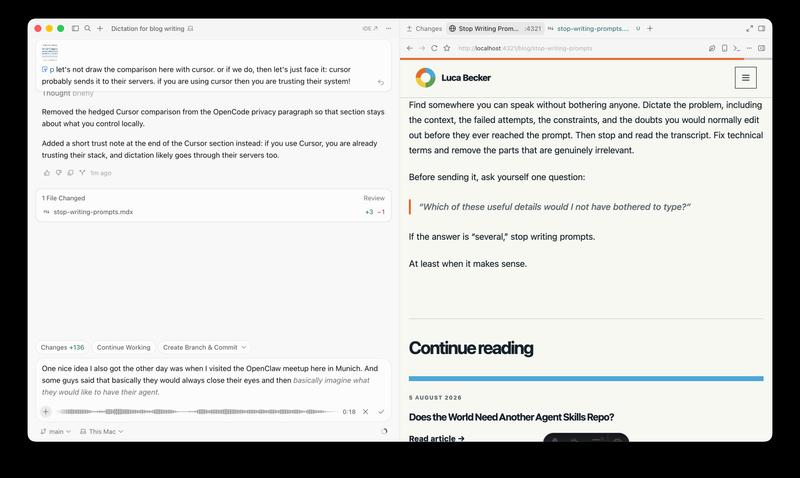
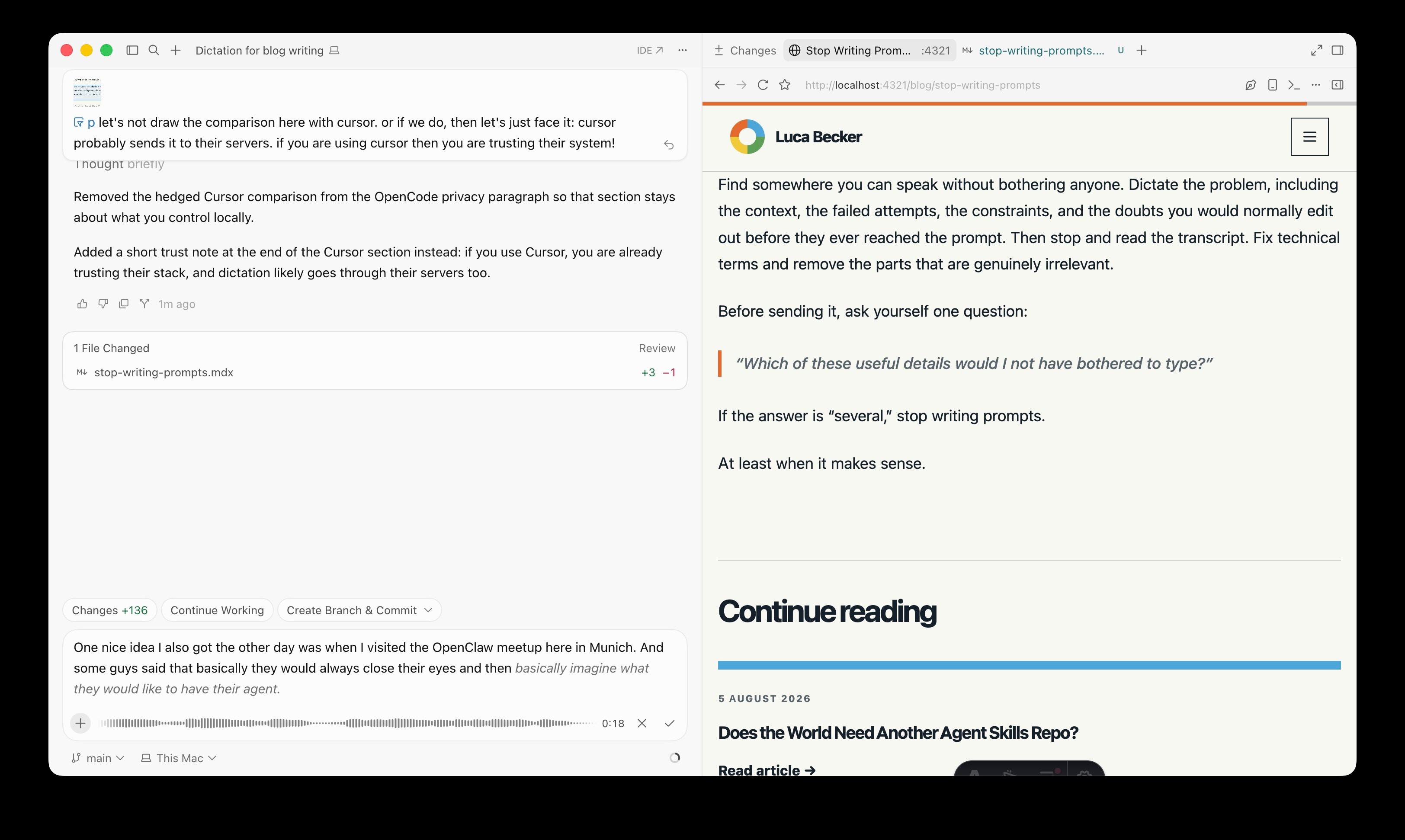
I am less obsessive about auditing every word than Cursor’s documentation suggests. A long prompt usually contains enough context to recover from a mistranscribed phrase. In my version, the tooltip offers Ctrl+M as a hold-to-talk shortcut. That occupies one hand, but since I like waving my hands around, I hardly ever use it.
I prefer clicking the microphone button and speaking until I say the magic keyword, submit. Cursor then sends the prompt without another click. It even seems to understand context: I just said “submit” while explaining this feature, and it correctly did not send the unfinished prompt.
However, there are also some rough edges. Recordings stop after about five minutes, so I sometimes immediately start another. Cursor also offered no dictation inside the multiple-choice UI while I planned this article, so I had to type an answer about why typing can be limiting. Still hoping that Cursor might eventually change this.
Cursor’s public documentation does not say where it processes dictated audio. Since I already trust Cursor with my prompts and code, voice input does not materially change that decision.
OpenCode Voice Is Improving
Whisper is an open-source speech-recognition model and software package. Implementations such as whisper.cpp run locally on ordinary hardware, so voice input does not inherently require sending a recording to a cloud service.
I use renjfk/opencode-voice with OpenCode to also benefit from dictation there. Getting it working inside my nono sandbox was fiddly, but ultimately worth it. SoX records the audio and whisper.cpp transcribes it locally with the large-v3-turbo-q5_0 model.
The audio stays on my machine, but the pipeline is not fully offline. The plugin can send the transcript to a Qwen 3.6 model through TNG’s TrustedTokens service for cleanup. Changes to the plugin are also possible, given that it is open source.
The interface is weaker than Cursor’s. OpenCode, evidently, is a terminal application. In OpenCode Voice, Ctrl+R starts recording and pressing it again stops and transcribes. You can click around, but it is not as comfortable as Cursor’s visual, clicky, colorful UI. After all, I am human and I like looking at something appealing that works.
Until today, the recording indication disappeared and there was no interim transcript. While editing this post, I sent an agent into the plugin to improve that. It now shows a live transcript and repeats a recording notification every three seconds. This does resolve my biggest gripe while setting it up with nono and also gives me more confidence when dictating.
The result is still clunky. The notification keeps reappearing, and the transcript is not rendered inside the input box like it is in Cursor. That may be an OpenCode limitation, or I may not have specified the task well enough. Baby steps. If the change holds up, maybe it becomes a pull request.
Dictation Does Not Work Everywhere
I mostly use voice input at home. Those who know me know that I have a rather loud voice and do not want to narrate my work to an office or an entire ICE carriage. I may also be discussing client systems or source code that should not become a public announcement.
Cars are an interesting counterexample. Colleagues have mentioned to me that they already talk to their agents while driving, turning time when typing is impossible into time for sketching ideas or handing off tasks. That only works hands-free and without taking attention from the road.
Language handling is better than I expected. I dictated the feedback for this article in German, and Cursor transcribed it in German. It also switches dynamically when I drift into English and even handles my Denglisch surprisingly well. Again, if you know me, you know ;)
In my use, technical language survives transcription most of the time. When it does not, the agent can often infer the intended term from context. It is not flawless: one transcription turned “OpenClaw” into “kilometer.” So yeah, exact identifiers are still worth checking.
After longer sessions, my voice gets tired. That might then also be a reason for me to stop dictating.
That is why “stop writing prompts” does not mean “stop reading prompts.”
AI Can Help Write Posts, but We Still Own It
I used AI to shape this draft from my dictation. At this point, regular readers have probably noticed that AI is part of my writing process.
I am fine with that. Writing is not a typing contest. At least not to me.
What would not be fine is publishing the first generated result without checking the argument, verifying the claims, removing invented certainty, and making sure the words still represent what I think. That is how you get AI slop. I also have to be honest that I probably did not vet some of my earlier posts as rigorously as I vet them today. As I type this, I am now on the third pass through this blog post, with the manual tweaks actually being done in Zed.
Try It Once
For a first test, take your next substantial plan and dictate for at least two minutes before typing anything. Find somewhere quiet, close your eyes if that helps, and explain the problem, context, failed attempts, constraints, and doubts. Then let the agent turn that into a plan and review the plan, and maybe not every word of the transcript.
Notice which useful details you would not have bothered to type. If there are several, stop writing prompts. At least when it makes sense, because ultimately you still have to find something that works for you.
What about you? I would love to hear where voice input fits into your day, whether that is in the car, while walking, or even while working out, and which situations still send you back to the keyboard.