Writing
Aurora PostgreSQL Blue/Green Upgrade: 4 Gotchas
Four hard-won lessons from upgrading Aurora PostgreSQL 15 to 16 via blue/green deployment - from PostGIS compatibility to TypeORM hidden DDL statements.
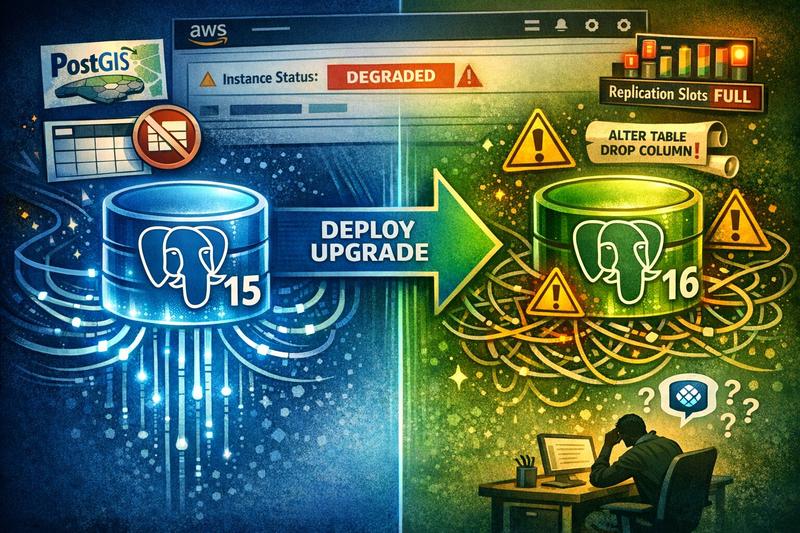
We had been planning to upgrade our Aurora PostgreSQL cluster from version 15 to 16 for a while. One of those things that kept sitting on the backlog until we finally got around to starting it. And when we did, I decided to go with AWS’s blue/green deployment feature. Zero downtime. Clean cutover. The modern way.
I lost count of how many attempts it took. My AI coding assistant, OpenCode running Claude Sonnet 4.5, tried to talk me out of it at least three separate times. Every time we hit a wall, it’d gently suggest we just do the regular in-place upgrade instead. Which yeah, would have been the sensible thing. But I didn’t listen.
Why I Did This to Myself
Let me first give some background information. We didn’t have to upgrade. AWS will support Postgres 15 at least until November 2027 in the community version. They are not as strict as they are with Kubernetes versions. But at my client, we try to stay on recent versions, and I liked the idea of blue/green. Zero downtime. Learn something new. How hard could it be?
We could very likely have gotten away with scheduling a maintenance window at 2am, running the upgrade, and going back to sleep. Would’ve saved me a lot of headaches. But no. I wanted the fancy path.
So I did what any developer these days would do, I opened up OpenCode. Pointed it at our infrastructure code and said “let’s do a blue/green deployment” in planning mode.
Famous last words.
“Databases Are Actually Crazy”
Somewhere in the middle of all this, while I was drowning in replication errors and cryptic “degraded” statuses in the AWS console, a colleague messaged me. He was reviewing a PR and had a question about pg_stat_io, one of the shiny new features in the PG 16 changelog.
He’s over there exploring cool new observability features. I’m over here just trying to get to PG 16.
I responded with something that I still stand by. Roughly translated from German:
Databases are actually crazy. Crazy complex because they have to maintain ACID compliance, be totally generic, and still be performant. Building Postgres maybe doesn’t require as much skill as building the Linux kernel, but it feels like it’s right up there.
I wrote that mid-frustration, but honestly? The more I worked through this upgrade, the more I meant it. You’re building something that has to be bulletproof, generic enough for any use case, and fast. That’s an absurd combination of requirements.
Anyway. Let me tell you about the walls I hit.
The Four Gotchas (In the Order They Found Me)
Gotcha #1: PostGIS Needed Upgrading First
This one was straightforward, but only if you know about it before you start. PG 16 required a newer PostGIS version. We were on roughly 3.2 and needed to get to 3.5. The fix was simple: a SQL command to update the extension on the existing cluster before kicking off the blue/green deployment.
Not really difficult but if you don’t do it first, the deployment just fails, and the error doesn’t exactly hold your hand.
Takeaway: Check every extension’s compatibility with your target Postgres version before you touch anything else.
Gotcha #2: The Missing Primary Key
This one was surprising to me. One of our applications had a table, a junction table combining three foreign keys into its own entity, that had a uniqueness constraint but no primary key.
I didn’t even know Postgres let you do that.
Turns out, it does. But blue/green deployments use logical replication under the hood, and logical replication demands primary keys on every table. The pre-flight check caught it and refused to proceed.
Another engineer at the client had created that table, and honestly, it’s an easy thing to miss. If the database doesn’t stop you, why would you think twice? I wrote a migration that dropped the uniqueness constraint and replaced it with a proper primary key.
Takeaway: Run a query like this one against your schema BEFORE you do the upgrade. Find any tables without primary keys. Fix them before you need to do a blue/green deployment, not during.
SELECT table_name
FROM information_schema.tables t
WHERE table_schema = 'public'
  AND table_type = 'BASE TABLE'
  AND NOT EXISTS (
    SELECT 1 FROM information_schema.table_constraints tc
    WHERE tc.table_name = t.table_name
      AND tc.constraint_type = 'PRIMARY KEY'
  );
Gotcha #3: Replication Workers Need Headroom
Blue/green deployments use logical replication, and logical replication needs worker slots. Specifically, you need to set max_logical_replication_workers to the number of databases plus 5.
I didn’t know this. AWS Support did. They were the ones who pointed it out after I opened my first ticket. Quick fix to the parameter group, but completely invisible if you’re just following the console wizard and hoping for the best.
Takeaway: Before you start, set max_logical_replication_workers = (number of databases) + 5. Again another easy fix but also not really that straight forward to know about.
Gotcha #4: The DDL Trap (The One That Nearly Broke Me)
This one was my final obstacle and it was the hardest to solve of them all. I was close. But not there yet. I thought having contacted the support once would be enough.
You should know about blue/green deployments: replication cannot tolerate DDL changes. Any DDL statement that runs on the blue (source) cluster while replication is active will break the deployment.
“Okay,” you think. “I just won’t run any migrations during the deployment.”
Right. Except I wasn’t running migrations.
What was happening: TypeORM, our ORM in NestJS, has a setting called installExtensions that defaults to true. Every time one of our apps connected to the database, it would silently run CREATE EXTENSION IF NOT EXISTS "uuid-ossp". A DDL statement. Automatically. Every. Single. Time.
What made this one absolutely maddening: it was intermittent.
Sometimes the blue/green deployment would spin up just fine. I’d think “great, maybe the last fix solved it.” Then next attempt, the AWS console would show the green cluster as “degraded.” That’s it. Just… “degraded.” No explanation on the surface. No helpful error message. Just a single word that tells you something went wrong and good luck figuring out what.
It only happened when an app ran CREATE EXTENSION during replication, which wasn’t always the case. But often enough. Just enough false hope to keep you trying.
I opened a second support ticket. AWS Support at first pointed out to me that there were DDL changes and then as part of the conversation we arrived at the Logs & Events section where I clicked on one of the log files which contained the error message that would free me. There it was: the replication choking on a CREATE EXTENSION DDL statement.
From there, it clicked fast. None of our apps were intentionally running DDL. So it had to be something automated. Something in the ORM. I found the installExtensions setting, set it to false across all our database.module.ts files, and that was that.
Well, almost. Our e2e tests and local dev environments relied on extensions being auto-created. So I also had to add CREATE EXTENSION IF NOT EXISTS "uuid-ossp" to the first migration that used UUID columns. A no-op on RDS where the extension already existed, but necessary for fresh databases in CI and local dev.
The fix took maybe 30 minutes. Diagnosing it took days.
Takeaway: If you’re using TypeORM (or any ORM that auto-creates extensions), disable that behavior before attempting a blue/green deployment. And when the console says “degraded,” go straight to Logs & Events. Don’t waste time guessing.
So How Was OpenCode Helping Me in All of This (And Sometimes Also NOT Helping Me)
It was a good discussion partner. Faster than me at surveying the landscape, suggesting AWS CLI commands, and keeping track of all the moving pieces. For a process I’d never done before, my first major Postgres upgrade, period, having something to bounce ideas off of was genuinely valuable.
But.
It degraded over long conversations. As the context window filled up and compaction kicked in, the quality of its suggestions dropped noticeably. And every time we hit a wall, every time a deployment came back “degraded” with no clear explanation, it would suggest we abort. Just do the regular in-place upgrade. Take the downtime. Move on.
This happened multiple times. Not really motivating ;)
And it wasn’t entirely a codebase visibility issue. It was also that I was doing something I didn’t fully understand and that I didn’t question enough what the agent wanted to do. Too much blind trust. So AI isn’t there just yet. Good for us cause that means we still have a job.
That said, I was running the agent from our infrastructure code. It didn’t have access to the application code. So it literally could not see the installExtensions: true setting that was causing the DDL issue. It didn’t have the context to catch the thing that kept breaking us.
AWS Support caught what the AI couldn’t. Twice.
What finally made sense to me was this: AI agents are great at navigating the known. Documentation, CLI syntax, configuration options. But when the problem spans multiple codebases, infra and app code, and the error messages are vague, you still need humans who’ve seen this before.
The Anticlimactic Switchover
After all the failed attempts, after four separate gotchas, after AWS Support tickets and philosophical text messages about database complexity, the actual successful switchover was rather boring:
- Green cluster spin-up: ~20 minutes
- Major version upgrade on green: ~25 minutes
- Switchover: less than one minute
That’s it. Apps briefly lost write access for about a minute. Health checks noticed, traffic paused, and then everything came back up on the new cluster. Totally anticlimactic. What I was hoping for from the beginning but didn’t get until two weeks later.
I’ve only done this on our dev cluster so far. Prod is coming in about eight days. Morning hours, 9am, same as our normal release cadence since I do now feel confident in the upgrade.
That’s either confidence or hubris. Ask me again in nine days.
What I’d Tell Myself Before Starting
Don’t blindly trust the AI. It’s a great assistant, but it doesn’t know what it can’t see. There seemed to have been little resources on the internet for all the gotchas. Something that I am also hoping to remedy with this post.
If I could do it over, I’d have the agent go through AWS’s blue/green prerequisites thoroughly before the first attempt. Every requirement. Every constraint. Validate them one by one against our actual setup, not just the infrastructure code, but the app code too. Check for DDL-producing ORM settings. Check for missing primary keys. Check extension compatibility. Do all of that before you hit “create blue/green deployment” for the first time.
Would I do blue/green again? Absolutely. We might actually go to PG 17 soon-ish. And next time, I’ll know where to look when the console just says “degraded.”
Have you done a blue/green deployment on Aurora? Did you hit gotchas I didn’t cover? I’m genuinely curious, especially if you’re running a different ORM. Is Prisma better about this? Does Sequelize do something similar with extensions? Drop me a line. I’m collecting war stories.