Writing
GitHub's Agentic Execution Environment
You could already run AI in GitHub Actions. gh-aw's real novelty is the sandboxed execution environment around it, and one Renovate review showed why that matters.
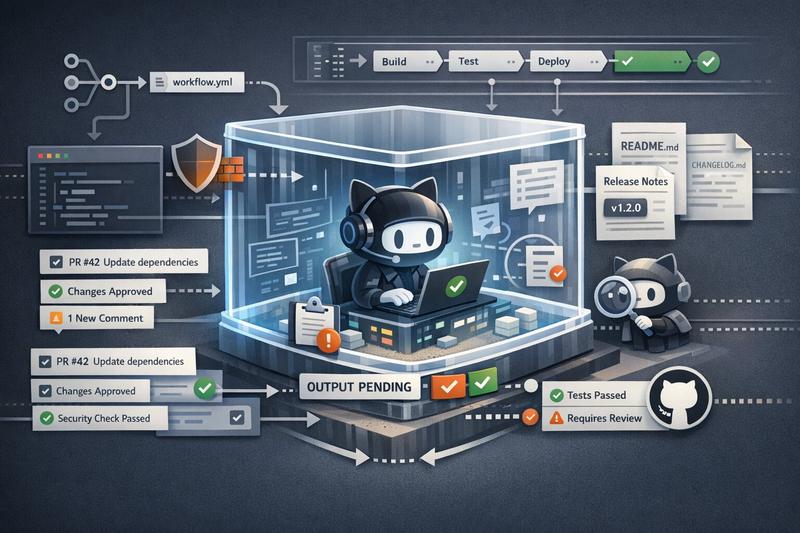
When GitHub announced Agentic Workflows, my first reaction was not “finally, AI has arrived in CI.” People were already doing that. If all you wanted was an agent inside GitHub Actions, you could already throw something like npx claude or another coding CLI into a workflow job and call it a day. I already touched on that simpler pattern in my post about Cursor CLI.
After spending time with gh-aw, reading the compiled workflows, and testing a few real examples on this blog repo, I came away with a first good impression of both its capabilities and its shortcomings. The real product here is not “Markdown workflows” and not even “AI in GitHub Actions.” It is a more easily configurable execution environment for autonomous agents: sandboxing, mediated writes, network restrictions, and enough guard rails that you can let an agent do useful work without immediately handing it the keys to the kingdom.
What gh-aw Actually Is
At the surface level, gh-aw lets you write workflows in Markdown with YAML frontmatter.
The Markdown body is the task description. The frontmatter is the policy. Then gh aw compile turns that into a generated .lock.yml workflow that GitHub Actions actually runs.
That sounds like a developer-experience wrapper, and to some extent it is. But after looking at the generated output, that part mattered less to me.
The broader point is not “wow, CI but in Markdown.” The broader point is that GitHub is trying to package a trust model for agents in CI:
- the agent runs in a sandboxed environment
- network access goes through a Squid proxy with domain allowlists
- the agent does not get raw write access to GitHub
- outputs are buffered and validated before a separate job executes them
- a second agent reviews the first agent’s output before writes happen
That is the part I find worth looking at.
Inside the generated .lock.yml, the job flow looks roughly like this:
How to Get Started with GitHub Agentic Workflows
Getting a first workflow running is actually pretty straightforward.
gh extension install github/gh-aw
gh aw add githubnext/agentics/daily-repo-status
gh aw compile
gh aw secrets set COPILOT_GITHUB_TOKEN
gh workflow run "Daily Repo Status" --repo lucavb/homepage
For the Copilot engine, you need a personal access token with Copilot Requests: Read. Other engines use their own credentials. There is also an interactive wizard, but I hit the predictable issue there too: in non-interactive terminals, add-wizard just refuses to work. Fair enough, but it is worth knowing up front.
I compiled the workflow, committed it, and then my pre-commit hook ran Prettier on the Markdown workflow source. That reformatted the YAML frontmatter in the .md file. The generated lock file still contained the old frontmatter hash. On GitHub, the run recomputed the hash, noticed the mismatch, and refused to start.
The mechanism is clever. The generated lock file is effectively hash-sealed against the source frontmatter so source and compiled artifact cannot silently drift apart. But it also means completely normal tooling can trip you up. Let Prettier touch the source after compile and suddenly your agentic workflow is “outdated” even though nothing meaningful changed.
The other early annoyance is the network policy. The sandbox uses a Squid proxy with allowlisted domains. That is good. It means the sandbox is doing real work instead of pretending to. But the first time your workflow wants to read something outside the defaults, you may have to explicitly add it. In my Renovate review workflow, I ended up allowing devblogs.microsoft.com because the agent wanted to read Microsoft’s TypeScript 6.0 write-up and the proxy blocked it.
That is annoying at first. Once a workflow settles down and you know which external sources it actually needs, I suspect it becomes much less of a topic.
What Makes the Execution Environment Different
This is where gh-aw becomes more than a prompt wrapper. GitHub did not invent “run an LLM in CI.” They packaged the hard part that most people would not build well themselves.
Sandboxing and Network Control
The agent does not just run on a runner with a pile of secrets in the environment. It runs through awf, GitHub’s sandboxing layer, with network restrictions and explicit domain allowlists.
So instead of “the agent can reach the internet,” the model is more like “the agent can reach a small set of things we decided it is allowed to reach.”
That is a very different security posture.
Zero-Secret Design
The architecture separates who holds which secret:
- one component handles LLM API access
- another handles GitHub MCP access
- the agent itself does not get those raw tokens
Even if you assume the agent prompt can be manipulated, the system is designed so that the agent still cannot casually read out the real credentials and paste them somewhere.
This does not solve every possible problem. But it is a much better starting point than “here is a GitHub token and an Anthropic key, good luck.”
Safe Outputs Instead of Direct Writes
This is probably the most important idea in the whole system.
The agent does not directly create issues or comment on PRs using a write token. Instead, it writes structured intent to a safe-outputs buffer. Then another job validates that output against a schema and performs the actual write.
That means the system can say things like:
- this workflow may create at most one comment
- the label must come from this allowlist
- the title must start with this prefix
- the body may not exceed this length
Separating “what the agent wants to do” from “what actually happens” is the key design move here.
A Second Agent Reviews the First
GitHub also runs a threat-detection pass as a separate AI step before safe outputs are executed.
It is expensive, and I am not fully convinced it is worth the cost for every low-stakes workflow. But as a piece of architecture it makes sense. The system assumes one probabilistic layer is not enough, so it inserts another.
What the Compiled Workflow Teaches You
Reading the compiled workflows was useful because it showed where the real engineering effort went.
First, the scale difference is striking. A tiny Markdown source file turns into a huge generated workflow with multiple jobs, pinned actions, container setup, artifact passing, proxy configuration, and cleanup logic. That immediately tells you this is not just syntactic sugar.
Second, the generated workflow exposes actual policy choices.
Some of them are clearly strong ideas:
- SHA-pinned actions everywhere
- isolated write execution
- explicit concurrency handling
- audit artifacts and logs at multiple trust boundaries
Some of them are trade-offs you may or may not like:
- the agent runs with
--env-alland excludes specific secrets by denylist - threat detection can effectively fail open for availability reasons
- the machinery is heavy enough that simple workflows inherit a lot of runtime cost and complexity
Third, the compiled output makes the cost of the abstraction visible. When a small Markdown file expands into a very large generated workflow, you are making a trust decision: humans will mostly review the Markdown and trust the compiler.
That is not necessarily bad. It just means the trust boundary is not where it appears at first glance.
A Workflow That Actually Earns Its Keep
The daily status workflow was a nice little demo, but not something worth keeping to me. The Renovate PR review workflow did more to justify the whole idea.
This is the source shape I ended up with:
on:
    pull_request:
        types: [opened, synchronize]
    bots: ['renovate[bot]']
    workflow_dispatch:

permissions:
    contents: read
    issues: read
    pull-requests: read

network:
    allowed:
        - defaults
        - 'devblogs.microsoft.com'

tools:
    github:
        lockdown: false
        min-integrity: none
The workflow then tells the agent to do something a deterministic GitHub Action would be bad at:
- read the PR and diff
- find the dependency’s upstream repo
- read changelogs and release notes
- search the codebase for actual usage
- run
npm install - cross-reference breaking changes against what the project really uses
- leave one structured comment and one label
That is not impossible to automate without AI, but it is the kind of thing where deterministic automation tends to either stay shallow or become a maintenance project of its own.
The strongest example was the TypeScript 5.9.3 to 6.0.2 Renovate PR.
The agent did not just say “major version bump, be careful.” It noticed that this repo’s tsconfig.json still used moduleResolution: "node" and baseUrl: ".", both of which TypeScript 6 now deprecates. It identified the exact error codes, TS5107 and TS5101, and then noticed something more subtle: astro check, which is the thing this repo actually runs in CI, did not surface those deprecation problems even though tsc did.
That is the kind of judgment I care about.
It landed on a medium-risk conclusion instead of pretending the answer was obvious:
- dependencies still install cleanly
- current CI still passes
- the upgrade does create technical debt
- the project should migrate before TypeScript 7
That was the point where it stopped feeling like a demo to me.
It also showed the architecture doing real work. The agent had to inspect the repo, read external material, and form a conclusion, but the output path was still constrained to one comment and a label from a predefined set.
Where It Still Feels Early
There is a lot I like here, but I would not pretend the rough edges are minor.
Cost Is Still Awkward
There is no hard spending cap.
That is the part I dislike most.
The daily status workflow used about 130K effective tokens in one run. The Renovate review examples went much higher, with the TypeScript 6 analysis landing around 449K. If a workflow fires often enough, or fans out across multiple PRs, the numbers add up quickly.
That does not mean the system is unusable. It does mean cost control is mostly preventive. You control triggers, model choices, and when the agent runs. Once it is running, you are mostly trusting the workflow design not to burn money pointlessly.
Integrity and Cross-Repo Reads Fight Each Other
The integrity system is one of the better ideas in gh-aw, but it creates a real tension.
If you want strong protection against untrusted content, you raise the integrity threshold. If you want the agent to read upstream release notes and changelogs from other repos, that can get in the way because the filter is global. In the Renovate workflow, I ended up with min-integrity: none and a stricter trigger boundary instead. That worked, but it is clearly a trade-off, not a free win.
The Lockfile Model Is Clever and Annoying
I still think the frontmatter hash seal is a good idea.
I also think it is exactly the kind of thing that makes normal developers say “seriously?” the first time they hit it. The Prettier mismatch is memorable because it is so ordinary. Nobody tried to break the system. A formatter just did formatter things.
That is a good example of where gh-aw feels early: the architecture is thoughtful, but the workflow friction is still real.
Triggering Is Not Always Granular Enough
One of the workflows I tested was a CI failure investigator based on workflow_run.
The obvious thing you want there is “only run this when a workflow fails.” But gh-aw does not currently let you express every useful GitHub Actions filter directly in frontmatter, so the agent can end up spinning up on successful runs too, only to discover there is nothing to do.
That is wasteful. It is also the kind of issue that feels likely to improve over time.
Conclusion
The novelty is not that GitHub figured out you can run an agent inside GitHub Actions. People were already doing that in one form or another. The novelty is that GitHub built and packaged a trust architecture around it: sandboxing, network policy, mediated writes, and review layers that are much easier to configure than building the whole setup yourself.
That does not mean every workflow is worth it. A daily repo status issue is still mostly a novelty to me. The Renovate review example crossed the line into something I would actually consider useful, because it did the kind of cross-referencing and judgment that normally costs real developer attention.
So the execution environment is the part worth looking at, and the cost and friction are real enough that I would keep gh-aw for tasks where judgment actually matters. That seems to be the right bar for “Continuous AI” anyway.
Would you trust an agentic workflow on your own repo today? If yes, what would you let it do first: dependency reviews, CI failure triage, documentation drift checks, or something else entirely?