Writing
The React Bug That Google Translate Causes
A mysterious production crash you can't reproduce locally. The culprit? Google Translate modifying the DOM behind React's back.
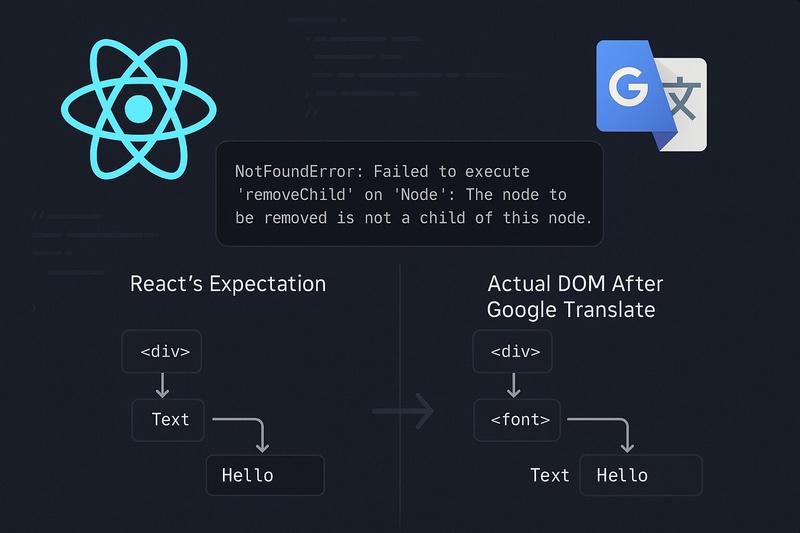
You’re monitoring your production React app when a strange error starts appearing in Datadog:
NotFoundError: Failed to execute 'removeChild' on 'Node':
The node to be removed is not a child of this node.
The stack trace points to React’s internals (minified function names like $s, En, Ue) deep in the reconciliation engine. Users report the app crashes when navigating between pages. But here’s the thing: you can’t reproduce it. The error seems random. It happens on production but never in your development environment.
I ran into this last week. It’s one of those bugs that’s obvious in hindsight but nearly impossible to find without knowing what to look for. I’m writing this up because it could happen to anyone with a React app and users who don’t speak English.
The Error That Makes No Sense
Here’s what Datadog was logging:
NotFoundError: React Router caught the following error during render
NotFoundError: Failed to execute 'removeChild' on 'Node':
The node to be removed is not a child of this node.
  at $s @ https://app.example.com/assets/index-Cj2y7zIb.js:8:26129
  at En @ https://app.example.com/assets/index-Cj2y7zIb.js:8:25816
  at $s @ https://app.example.com/assets/index-Cj2y7zIb.js:8:26577
  at Ue @ https://app.example.com/assets/index-Cj2y7zIb.js:8:27430
  at Gs @ https://app.example.com/assets/index-Cj2y7zIb.js:8:27692
  ...
The stack trace is entirely minified React internals. No application code. No hint about which component failed. Just $s, En, Ue, Gs. Great.
The error occurs during React’s commit phase, specifically when React is trying to remove DOM nodes. React calls parentElement.removeChild(childNode), but the DOM says the child isn’t there.
Finding the Cause
I dropped the relevant parts of the Datadog error JSON into Cursor and asked Opus 4.5 if it had any ideas. Five seconds of “thinking”, and then:
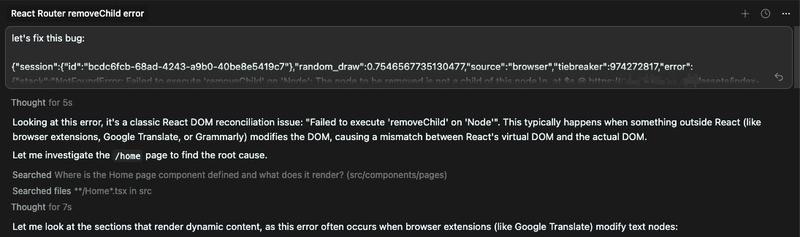
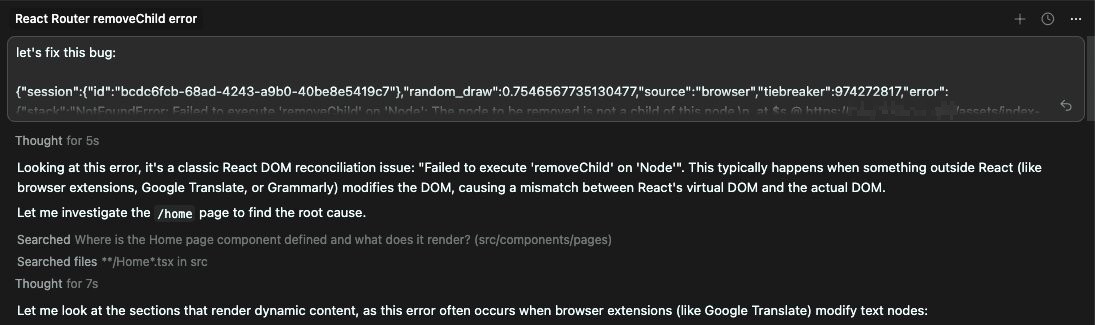
“A classic React DOM reconciliation issue… This typically happens when something outside React (like browser extensions, Google Translate, or Grammarly) modifies the DOM.”
I was skeptical at first, but it turned out to be exactly right. The initial suggestion was straightforward: disable translation entirely by adding translate="no" to the HTML element. Quick fix, problem solved.
But I’d never actually seen this bug before. I wanted to understand it, not just patch around it. So I pushed back: can we reproduce this first? Once you know Google Translate is involved, reproduction is straightforward:
- Navigate to the app
- Enable Google Translate (Chrome’s built-in translator)
- Navigate to another page
- Navigate back
Crash. The exact same error.
The hard part isn’t reproducing it. It’s thinking to try it in the first place. You know your app. You test it in your language, with your browser settings. Why would you enable translation on something you built? But some of your users will, and that’s how bugs like this slip through.
Here’s what an actual user saw when this happened:
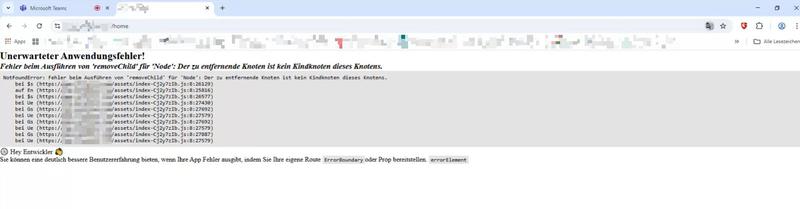
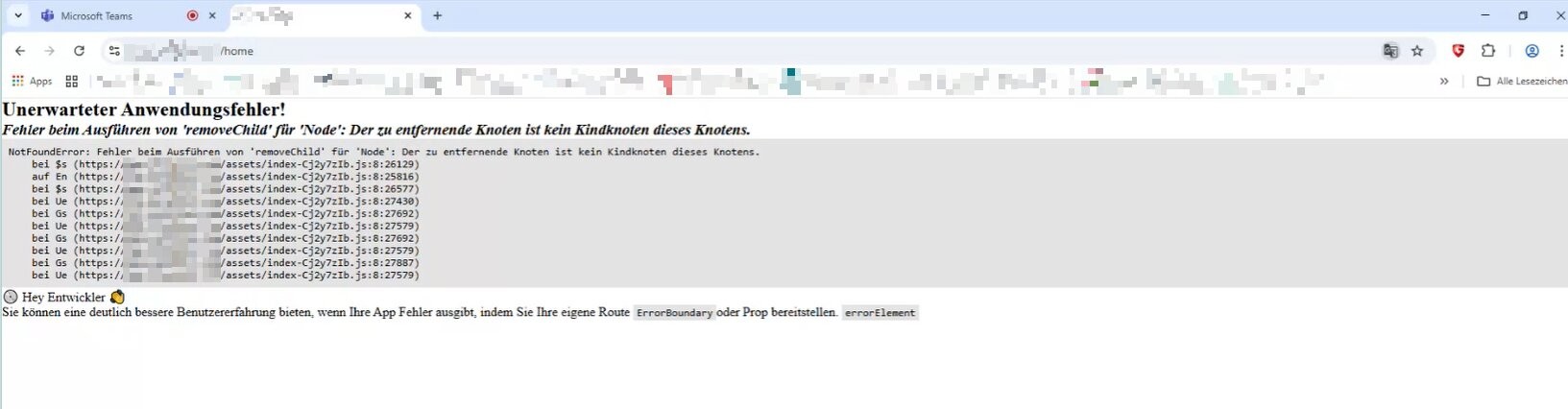
Notice the Google Translate icon in the URL bar on the right. And here’s the irony: Google Translate even translated the error message itself. “Der zu entfernende Knoten ist kein Kindknoten dieses Knotens”, the German translation of our removeChild error.
Why Google Translate Breaks React
When Google Translate translates a page, it doesn’t just change text content. It restructures the DOM. It wraps text nodes in <font> elements:
<!-- Before Google Translate -->
<div>Hello, world!</div>

<!-- After Google Translate -->
<div>
    <font dir="auto" style="vertical-align: inherit;">
        <font dir="auto" style="vertical-align: inherit;">Hallo Welt!</font>
    </font>
</div>
React maintains a virtual DOM, an internal representation of what the DOM should look like. When you render <div>Hello, world!</div>, React remembers: “I have a div with a text node child containing ‘Hello, world!’”
When React needs to update or remove this component, it looks for that text node as a direct child of the div. But Google Translate moved it. The text node is now inside nested <font> elements.
React's expectation:          Actual DOM:
┌─────────────────┐           ┌─────────────────────┐
│ <div>           │           │ <div>               │
│   └─ TextNode   │           │   └─ <font>         │
└─────────────────┘           │        └─ <font>    │
                              │             └─ Text │
                              └─────────────────────┘

React: removeChild(textNode) from div
DOM: "textNode is not a child of div!"
React assumes it owns the DOM. When something else modifies it, React’s internal state no longer matches reality.
Try It Yourself
Click through this demo to see the bug in action. First, simulate what Google Translate does to the DOM, then watch React fail to clean up:
Live Preview
Initial state: Text is a direct child of the parent div
DOM Structure
<div id="demo-parent">
  └─ "Hello, world!"  ← Text node
</div>The Fix
In our codebase, the failing component was using a React fragment to render text:
<Markdown components={{ p: ({ children }) => <>{children}</> }}>{card.description}</Markdown>The custom p renderer uses a fragment (<>{children}</>), which renders children without any wrapper element. Text nodes end up as direct children of the parent, with no stable element for React to track. When Google Translate wraps those bare text nodes, React loses track of them entirely.
The fix is embarrassingly simple. Use a <span> instead:
// Before (vulnerable)
<Markdown components={{ p: ({ children }) => <>{children}</> }}>
    {content}
</Markdown>

// After (safe)
<Markdown components={{ p: ({ children }) => <span>{children}</span> }}>
    {content}
</Markdown>
With a wrapper element, Google Translate modifies what’s inside the span, but the span itself stays in place as a direct child of its parent. React can still find and remove it.
React's expectation:          Actual DOM:
┌─────────────────┐           ┌─────────────────────┐
│ <div>           │           │ <div>               │
│   └─ <span>     │           │   └─ <span>         │
└─────────────────┘           │        └─ <font>    │
                              │             └─ Text │
                              └─────────────────────┘

React: removeChild(span) from div
DOM: "Yes, span is a child of div. Removed!"
Alternatively, you can prevent Google Translate from touching your app entirely:
<html lang="en" translate="no">
    <head>
        <meta name="google" content="notranslate" />
    </head>
</html>
This was Opus’s first suggestion. It works, but it blocks all translation. If your app doesn’t have built-in internationalization, your non-English-speaking users might not appreciate that. The <span> fix is less heavy-handed.
Wrapping Up
This bug fascinated me because of how invisible it is. You build your app, test it thoroughly, ship it, and then it crashes for users in a way you literally cannot reproduce unless you know the trick. The collision between React’s DOM ownership model and Google Translate’s DOM manipulation is the kind of edge case that doesn’t show up in any test suite.
Opus helped me find it quickly, maybe twenty minutes total. Without that hint, I’d probably have spent hours on Stack Overflow. But the real value was learning about the bug itself. Now I know to wrap dynamic text in elements instead of fragments, and I know what to check when I see removeChild errors that can’t be reproduced locally.
If you’re rendering dynamic text that ends up as a direct child of another element, wrap it in something. A <span>, a <p>, whatever makes sense. Fragments are convenient, but they leave text nodes exposed to exactly this kind of problem.
| Pattern | Safe? | Why |
|---|---|---|
<>{text}</> |
No | Text node has no stable wrapper |
<span>{text}</span> |
Yes | Span provides stable reference |
<div>{text}</div> |
Yes | Div provides stable reference |
<p>{text}</p> |
Yes | P provides stable reference |
Have you encountered mysterious production bugs that turned out to be browser extensions or translation tools? I’d be curious to hear about other cases where external DOM modifications caused React reconciliation failures.