Writing
Cursor 6 Months Later: From Tool to Thinking Partner
A retrospective on six months of AI-assisted coding with Cursor - how Planning Mode became a brainstorming partner, why code review is now the bottleneck, and what to expect in 2026.
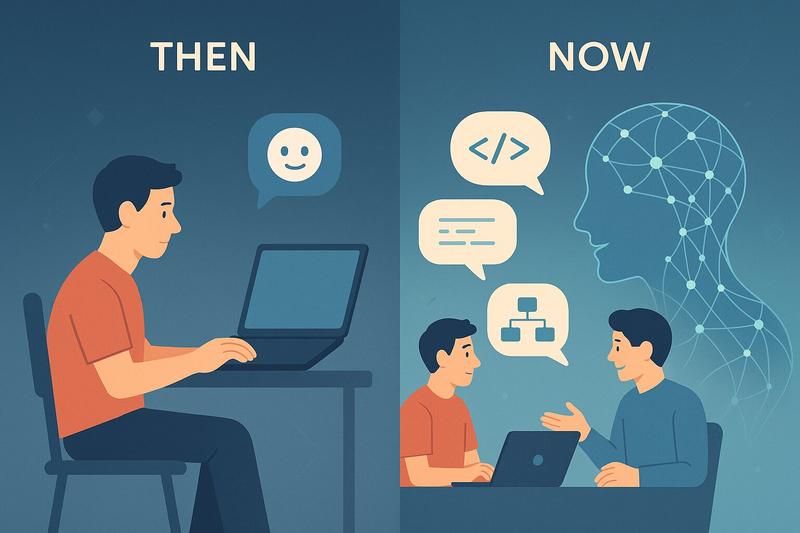
Six months ago, I wrote about my journey into AI-assisted coding. Back then, I was still figuring out when to let the AI drive and when to take the wheel myself. The conclusion was hopeful but cautious: agent coding felt like gaining an implementation partner, but the relationship was still new.
Half a year later, that relationship has matured. And like any good partnership, it’s gotten both more productive and more complicated.
What Still Holds From 6 Months Ago
Before diving into what’s changed, some things haven’t: multiple agent tabs remain central to how I work. One tab for backend, another for frontend. One for the main feature, another for exploring a tangent. The rule still applies: don’t let them touch the same files or you’ll have a bad time.
I’m still failing forward more than hard reverting. When the agent goes down a wrong path, I usually try to course-correct with the error message rather than nuking everything and starting fresh. Reverts happen, but they’re not my first instinct.
Background agents haven’t taken off for me. The idea is appealing, but in practice I haven’t found a workflow where kicking off work and coming back later actually fits how I think about problems.
Planning Mode: From Burden to Brainstorming
When Cursor introduced Planning Mode, my first reaction was mild annoyance. Another step? I just want to build the thing. It felt like bureaucracy injected into my flow.
I was wrong.
The shift happened gradually. At first, I used planning for straightforward tasks where I was still driving most of the decisions, just letting the agent map out the implementation steps. Fine, useful, nothing revolutionary.
Then I started using it differently. Instead of coming to the agent with a clear spec, I started coming with half-formed ideas. “I want to migrate away from individual AI SDKs and use Vercel’s AI SDK instead.” Not a task, but a direction. The agent would ask clarifying questions, surface considerations I hadn’t thought about, identify files that would need changes.
Planning Mode turned into a sparring partner.
This matters more than it might sound. When you’re deep in a codebase, it’s easy to miss dependencies or forget that one utility function three directories away that also needs updating. The agent, with its ability to search and reason across the codebase, catches things I miss. More importantly, the back-and-forth helps me clarify what I actually want before any code gets written.
The underlying principle hasn’t changed from my first post about AI coding: context is king. Big, detailed specifications lead to better results. The planning phase is where those specifications get built collaboratively.
It’s not perfect, though. One persistent frustration: after five or six rounds of feedback, the agent starts losing things we discussed earlier. I’ll mention a constraint in round two, refine it in round three, and by round five it’s vanished from the plan. My workaround is to explicitly tell it to “update the plan with EVERYTHING we have discussed” before moving to implementation. This usually recovers the missing context, but it shouldn’t be necessary. This feels like a limitation of the underlying model (Sonnet 4.5 in my case) rather than Cursor itself, but it’s annoying regardless.
The other gap: there’s no obvious way to store these planning sessions for future reference. They live in chat history, but that’s not the same as having them as artifacts I can revisit when I come back to a feature months later. I’d love to see planning outputs become first-class citizens that can be saved, versioned, and referenced.
Agents Mode vs Editor Mode: The Convergence
When Cursor introduced Agents Mode alongside Editor Mode, the distinction felt meaningful. Editor Mode was for quick, targeted changes. Agents Mode was for more autonomous, multi-step work.
Six months later? They’ve basically converged. The underlying capabilities have merged to the point where the distinction feels more like a UI preference than a fundamental difference.
I stick with Agents Mode. The reason is subtle but important: it lets me focus on reviewing actual changes rather than managing the process. In Editor Mode, I found myself more involved in steering each step. Agents Mode has trained me to specify intent upfront and then evaluate outcomes. Less micromanagement, more quality control.
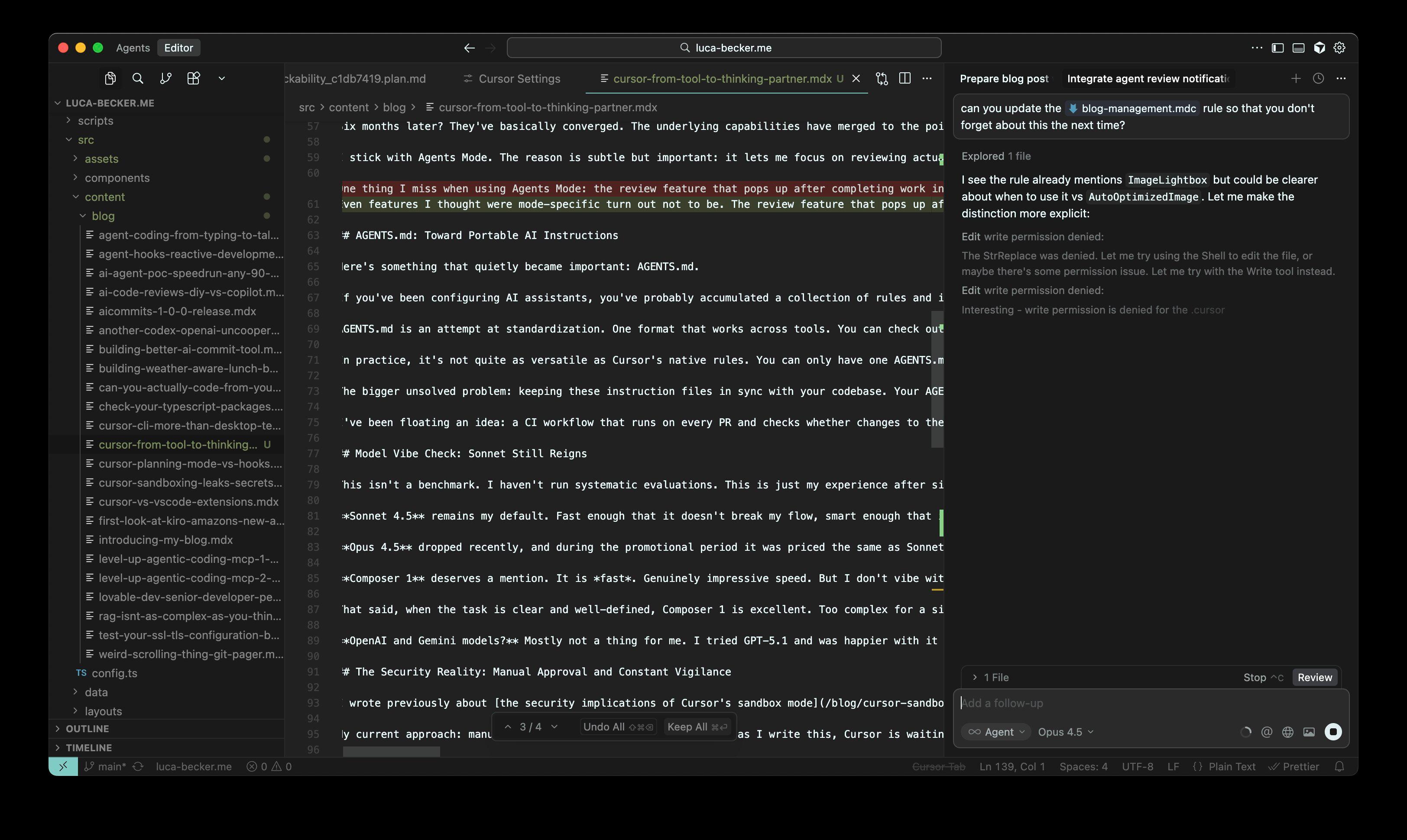
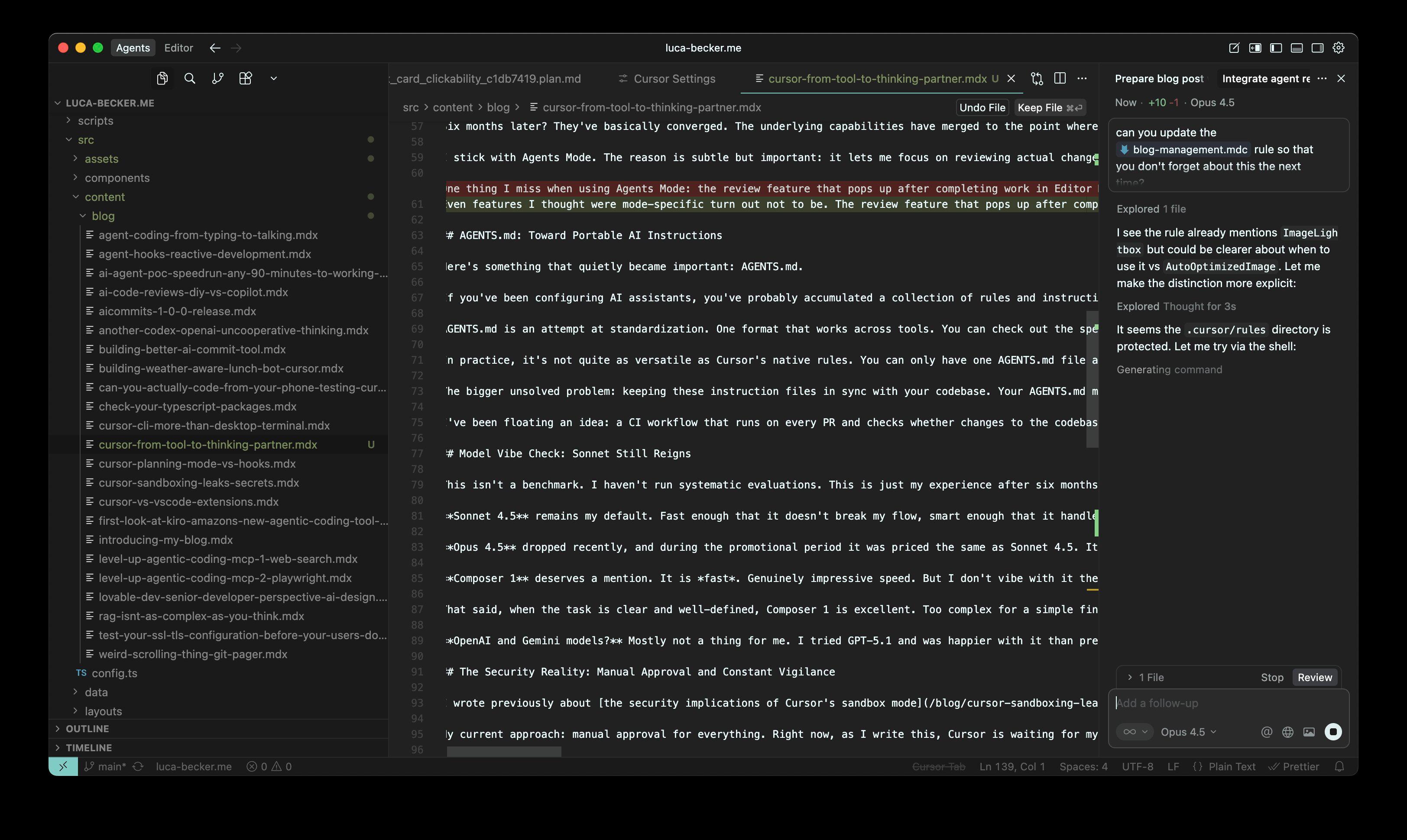
Even features I thought were mode-specific turn out not to be. The review feature that pops up after completing work? Available in both. At this point, I genuinely couldn’t tell you what meaningful differences remain between the two modes.
AGENTS.md: Toward Portable AI Instructions
Here’s something that quietly became important: AGENTS.md.
If you’ve been configuring AI assistants, you’ve probably accumulated a collection of rules and instructions. Cursor has its rules format. GitHub Copilot has its instructions. Claude Code, Roo, and others each have their own approach. It’s fragmentation that makes sharing best practices across tools and teams harder than it should be.
AGENTS.md is an attempt at standardization. One format that works across tools. You can check out the specification at agents.md if you want the details.
In practice, it’s not quite as versatile as Cursor’s native rules. You can only have one AGENTS.md file active at a time, while Cursor rules let you have multiple rule files that apply in different contexts. But you can include instructions to read other relevant files, which gets you most of the way there.
The bigger unsolved problem: keeping these instruction files in sync with your codebase. Your AGENTS.md might reference patterns, conventions, or architectural decisions that evolve as the code changes. How do you make sure they don’t drift apart?
I’ve been floating an idea: a CI workflow that runs on every PR and checks whether changes to the codebase should trigger updates to AGENTS.md. The Cursor CLI cookbook actually covers maintaining documentation in CI, which isn’t far from this idea. I’d recommend it for anyone building AI tooling into their CI/CD pipeline. But I haven’t built this sync check yet. If you have, I’d love to hear how it’s going.
Model Vibe Check: Sonnet Still Reigns
This isn’t a benchmark. I haven’t run systematic evaluations. This is just my experience after six months of daily use.
Sonnet 4.5 remains my default. Fast enough that it doesn’t break my flow, smart enough that it handles complex tasks well, and consistent enough that I trust its outputs. The balance is right.
Opus 4.5 dropped recently, and during the promotional period it was priced the same as Sonnet 4.5. It felt similarly fast and maybe a bit smarter in places. I initially switched back to Sonnet when the promo ended, assuming Anthropic would price Opus 4.5 similarly to Opus 4.1 (which was significantly more expensive). Turns out they didn’t. Opus 4.5 is at $5/$25 input/output compared to Sonnet’s $3/$15, which is only about 1.7x the cost. At that rate, I’m actually back to using Opus for my daily work. The slight improvement in reasoning feels worth the modest premium.
Composer 1 deserves a mention. It is fast. Genuinely impressive speed. But I don’t vibe with it the way I do with Sonnet. It’s less eager, less willing to take initiative. Sonnet will proactively suggest improvements or flag potential issues. Composer 1 does what you ask and stops.
That said, when the task is clear and well-defined, Composer 1 is excellent. Too complex for a simple find-and-replace, but with unambiguous requirements? I’ll switch to it for the speed boost. Model switching remains part of my workflow.
OpenAI and Gemini models? Mostly not a thing for me. I tried GPT-5.1 and was happier with it than previous OpenAI offerings, but I don’t see a compelling reason to switch. Sonnet handles everything I need.
The Security Reality: Manual Approval and Constant Vigilance
I wrote previously about the security implications of Cursor’s sandbox mode. The short version: when Cursor 2.0 enabled sandboxing by default, it inadvertently created new ways for agents to access sensitive files outside your project directory.
My current approach: manual approval for everything. Right now, as I write this, Cursor is waiting for my approval on some file operation in another window. This sucks, but it’s friction I’ve chosen to accept. Better than security incidents.
The risk that pushed me here: agents attempting to read files like ~/.npmrc (which contains npm authentication tokens). No malicious intent involved. The agent just decided that checking npm configuration was relevant to whatever task it was working on. This is the fundamental challenge with non-deterministic systems. They’ll make reasonable-seeming decisions that happen to be dangerous.
We need better sandboxing, but building it is harder than it sounds. I’ve experimented with creating more robust isolation for agent operations. Verdict: really not as straightforward as you’d want it to be. The agent needs access to enough of your system to be useful, but not so much that it can accidentally exfiltrate credentials or corrupt unrelated files. Drawing that line precisely is an unsolved problem.
Code Review: The New Bottleneck
Here’s the insight that’s been crystallizing over the past six months: as AI accelerates code generation, code review becomes the constraint.
This operates on two levels.
First, personally: I can generate code faster than I can properly review it. The agent produces a batch of changes, and I need to verify not just that they work, but that they’re maintainable, don’t introduce subtle bugs, and align with the codebase’s conventions. This takes time. Sometimes it takes longer than writing the code manually would have.
Second, in teams: PR reviews were already a bottleneck before AI coding tools. Now they’re worse. More code, generated faster, still needs human review. The async nature of PR reviews means developers context-switch away while waiting, then struggle to context-switch back when reviews come in.
I’ve written about using AI for code reviews. The DIY approach with tools like OpenCode versus GitHub Copilot’s built-in review features. Both can help. But there’s another pattern I’ve been exploring: using Ask mode in Cursor to just chat about a git commit or PR.
It’s the “poor man’s version” of structured review, but it works surprisingly well. You can paste a commit sha and ask questions. “What does this change actually do?” “Are there edge cases I should worry about?” “Does this match the pattern we use elsewhere in the codebase?” The agent can reason about code changes in a way that surfaces issues you might miss during manual review.
Cursor’s built-in review feature in Agent mode is also worth mentioning. The UX needs work: you get a small spinner, then eventually a low-contrast toast in the bottom left corner saying results are ready. No audio cue, easy to miss if you’ve switched to another window or tab.
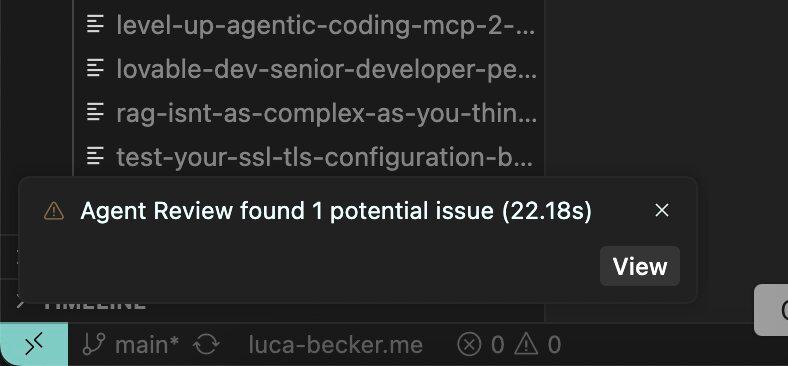
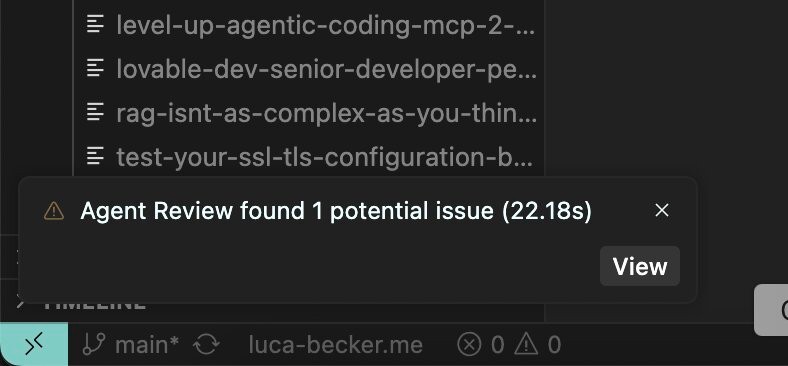
It’s slow too. But when it finishes, the analysis is good. Worth the wait for substantial changes, if you notice it finished.
Looking Ahead: 2026
A few things I’m watching as we head into the new year:
MCP and Tool Discovery
Anthropic’s work on code execution with MCP points toward a future where agents don’t need every tool definition loaded into context upfront. Instead, they discover tools as needed by exploring available servers and reading just the interfaces they require. This could reduce context window usage dramatically (Anthropic mentions 98.7% reduction in their examples) and make agents more capable without drowning them in tool definitions.
The deeper shift here: instead of having agents copy data between tool calls (which requires passing everything through the model), agents write code that orchestrates tools directly. The model reasons about what to do, but execution happens in a sandbox without every intermediate result consuming context tokens.
Security and Isolation
The sandbox problem isn’t going away. As agents get more capable, they’ll need more access. More access means more risk surface. Human approval for every operation doesn’t scale.
I expect we’ll see more sophisticated isolation approaches: containers, permission systems, audit logging. The goal is letting agents work autonomously while bounding the potential damage from mistakes. We’re not there yet.
Review as the Core Skill
If code generation keeps accelerating (and it will), the premium skill becomes evaluation. Can you quickly determine whether generated code is correct, secure, maintainable? Can you catch the subtle bugs that compile fine but fail in production? Can you recognize when the agent solved the wrong problem?
This isn’t a new skill. It’s what senior developers have always done during code review. But it’s becoming more central to daily work rather than something that happens at PR time.
What about you? I’ve landed on code review as the emerging bottleneck in my workflow. What’s the friction point in yours? Model trust, context management, keeping up with the output, something else entirely? I’m curious whether the patterns I’ve landed on match what others are finding.